Build guide
Assembly videos
Assembly instructions
Belts
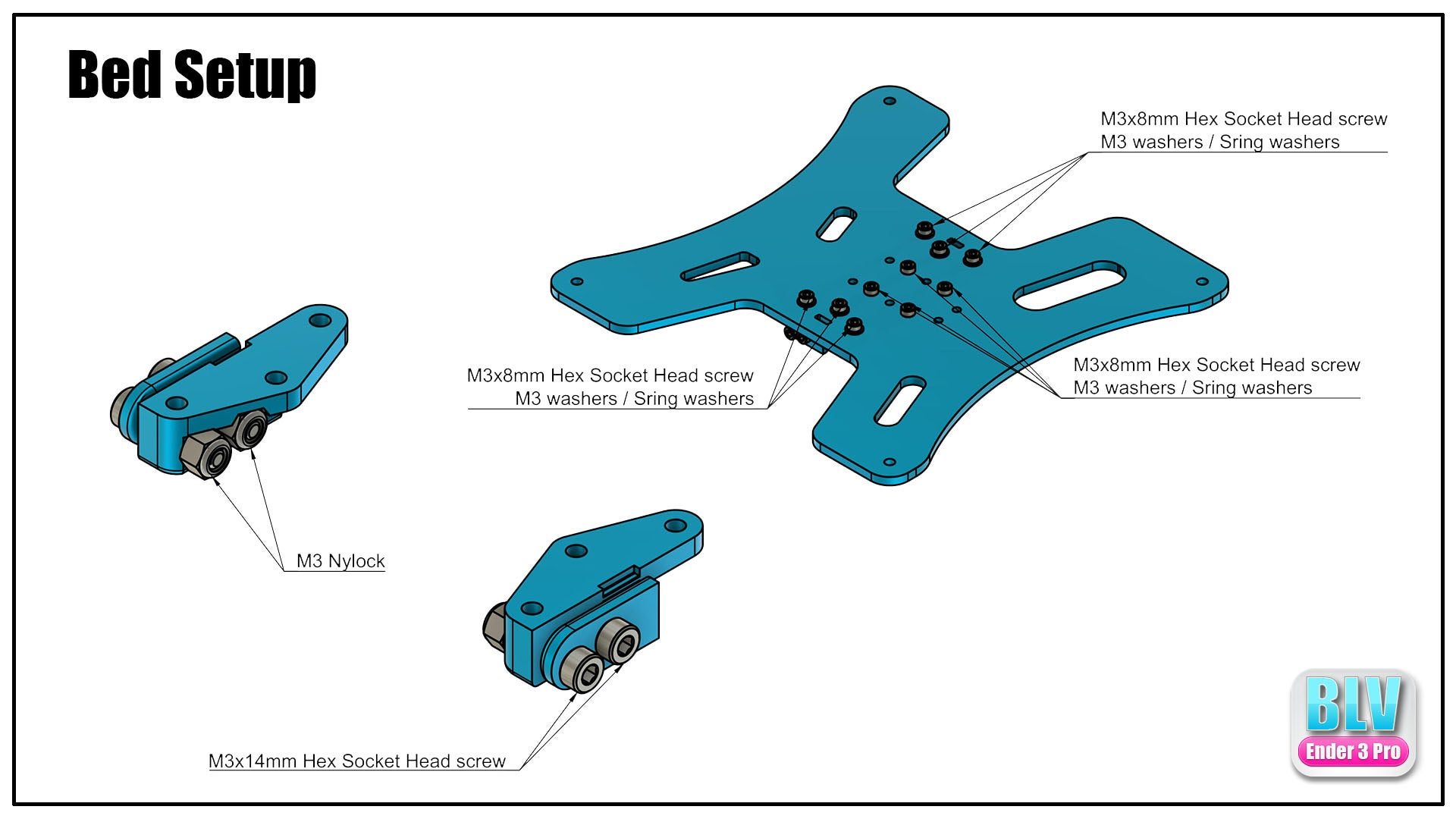
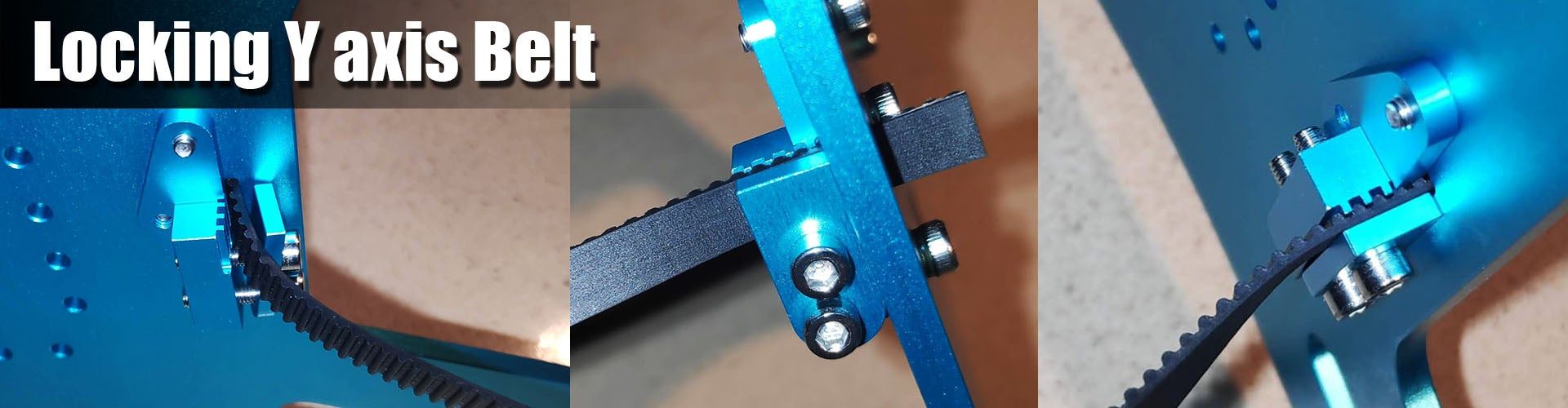
The original Creality belt is too flexible and reduces print quality. Use a fiberglass-reinforced GT2 6 mm belt instead. The X axis belt is clamped at a length of 785 mm, measured between the clamps and not including the brass clamps. When replacing a belt, both ends can be locked with a zip tie.
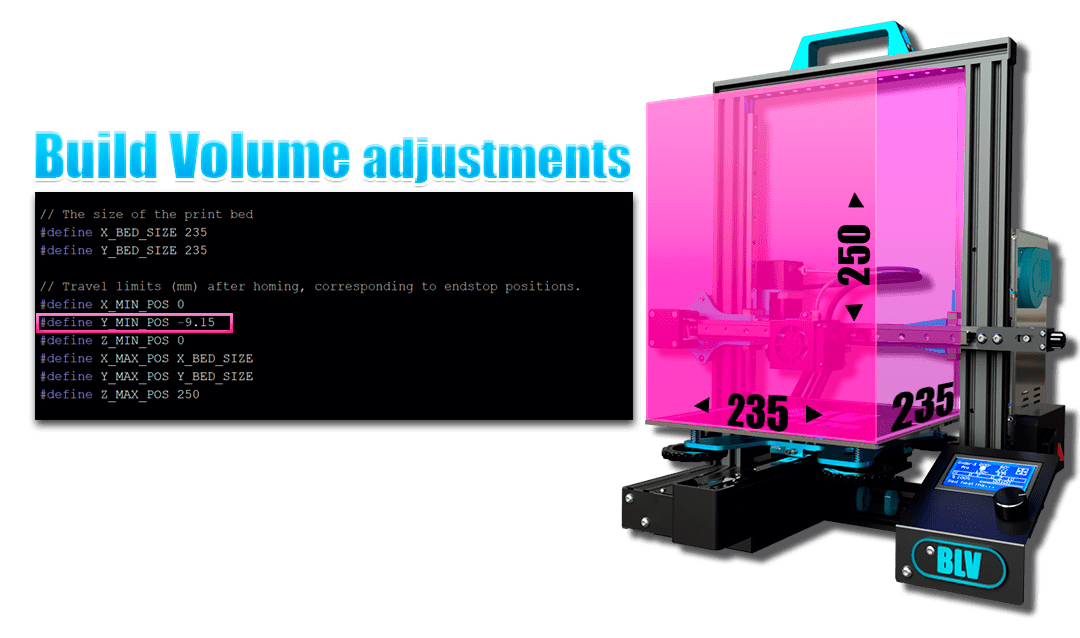
Build volume. To keep the original build volume, change Y_MIN_POS in Marlin's Configuration.h. My value was -9.15, adjust it to your setup. The picture shows where to find it.
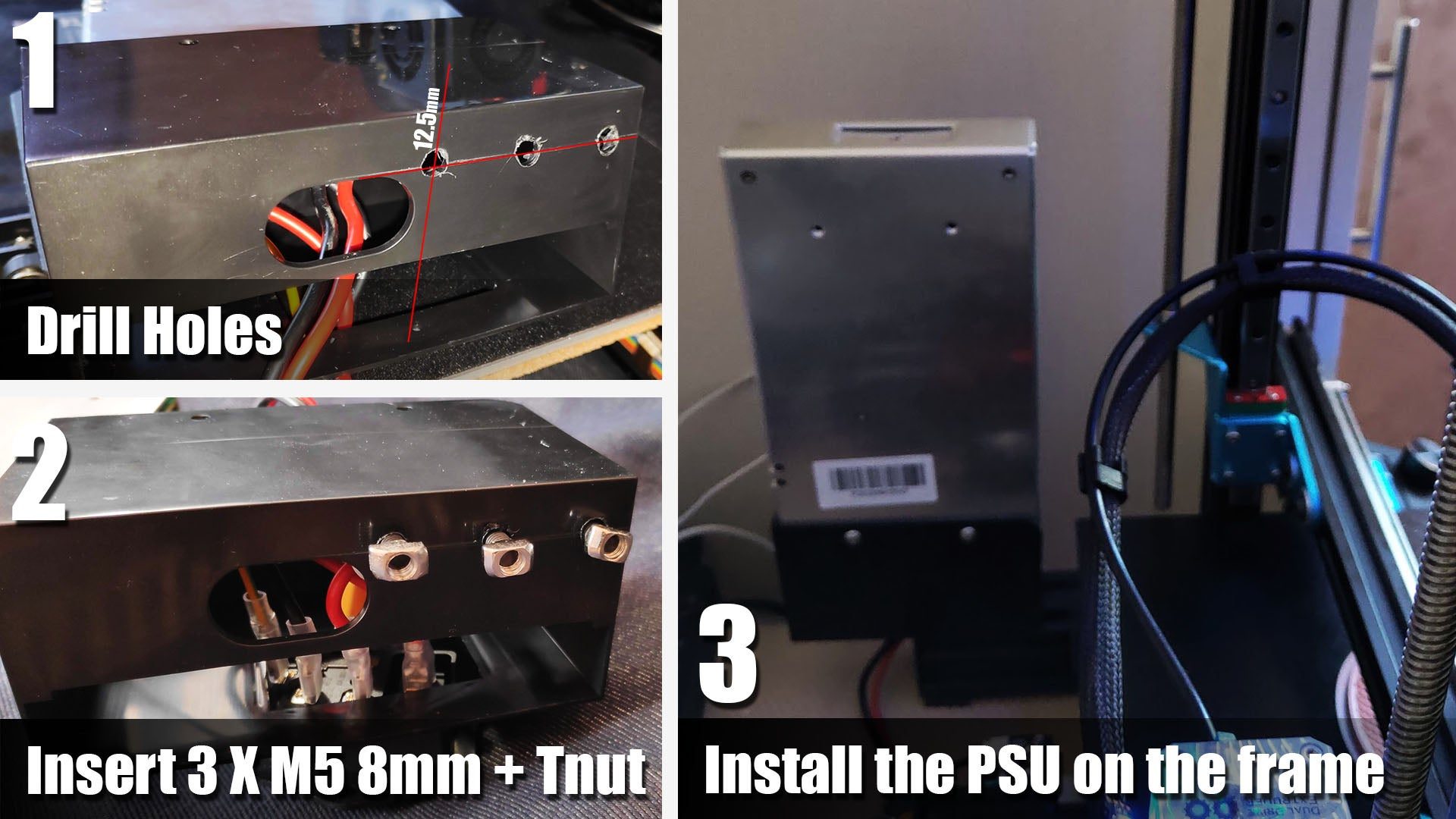
Dual Z: moving the PSU
The dual Z option requires moving the PSU:
- Disconnect the PSU from the wall.
- Disconnect the PSU from the printer.
- Partly remove the plastic cover from the PSU.
- Drill M5 holes as shown below.
- Insert 3 × M5 8 mm button head screws with T-nuts.
- Put the plastic cover back on the frame and tighten the screws.
- Put the PSU back and lock it to the cover.