Wiring
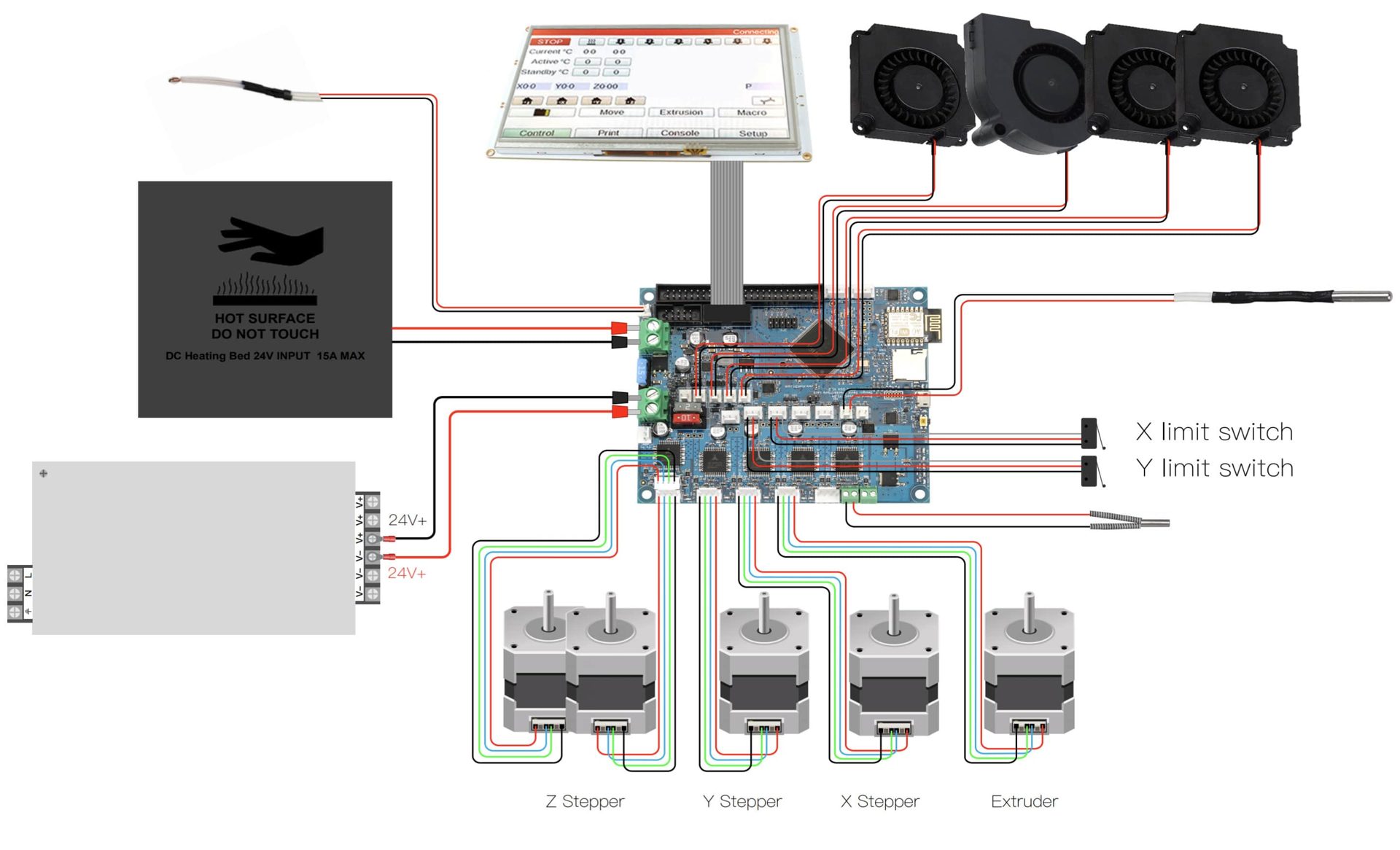
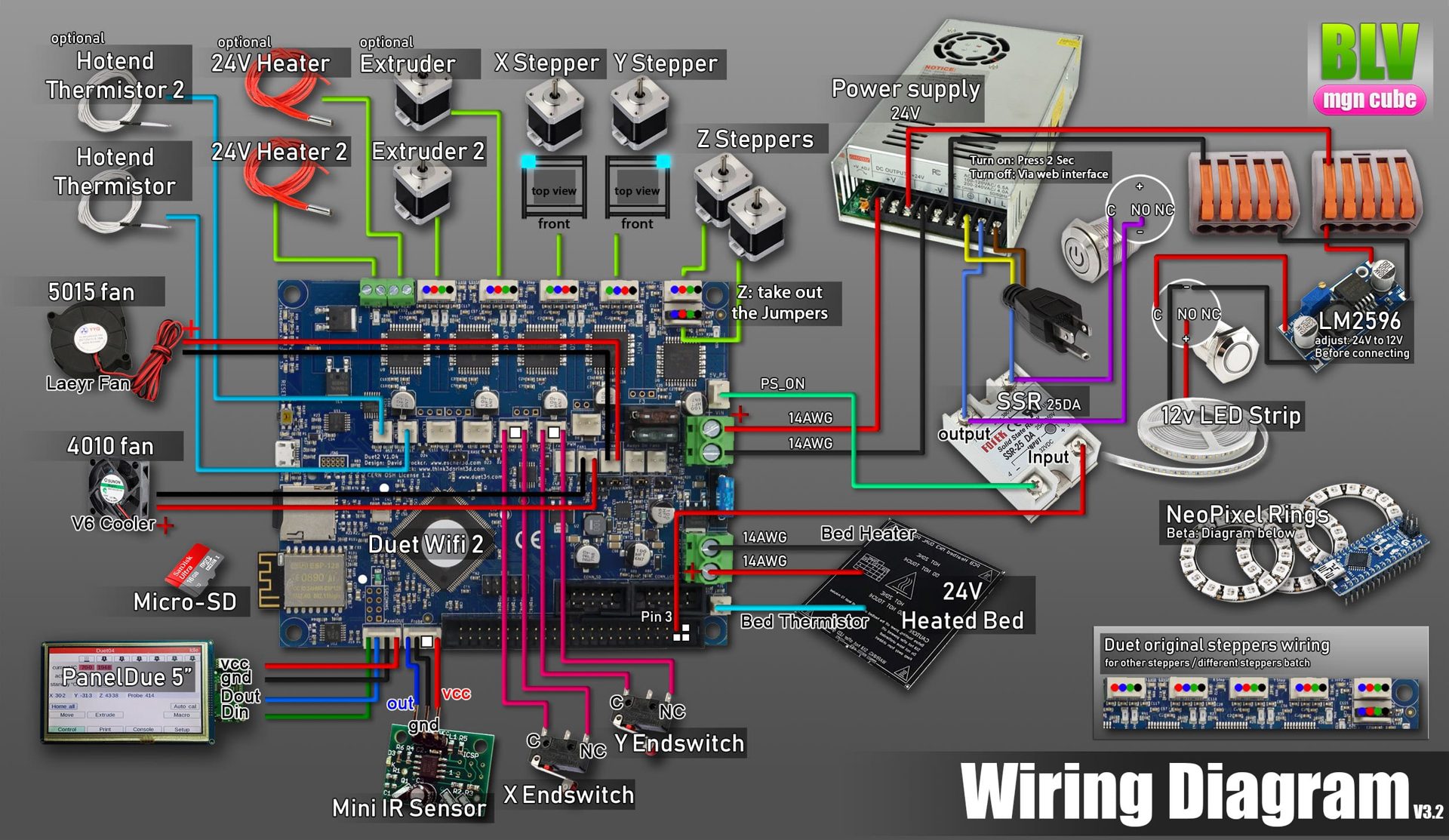
Wiring is a critical step, so double check every wire. It usually takes about 3 hours. With the FYSETC parts set it takes about an hour, since that set came with an optimized diagram, ready-made labeled cables with plugs, stepper wires in the correct order and a plug-and-play PCB for the Neopixel rings. Follow the diagram that matches your setup.
Before you start
- Wire the printer with the AC plug disconnected.
- Crimp every cable that goes into the power supply.
- Don't mix negative and positive wires.
- Double check every wire.
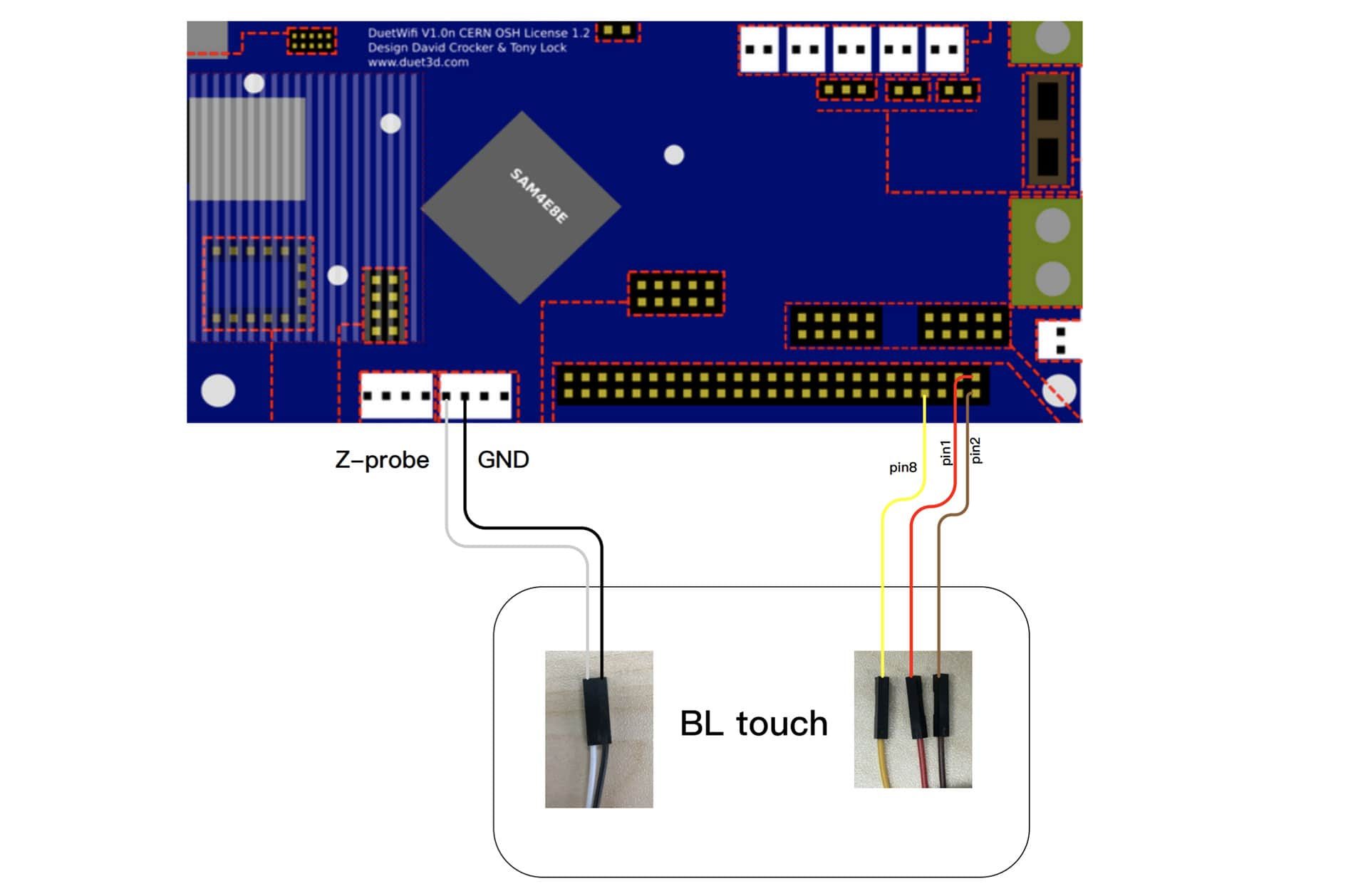
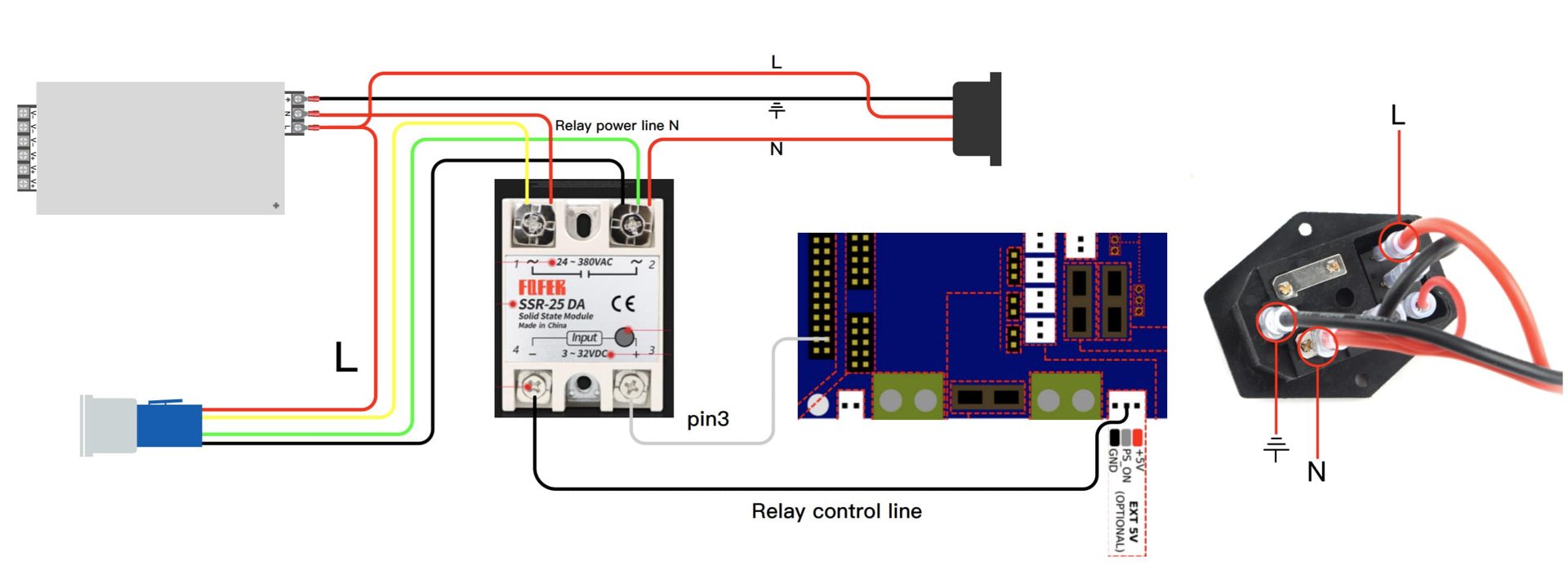
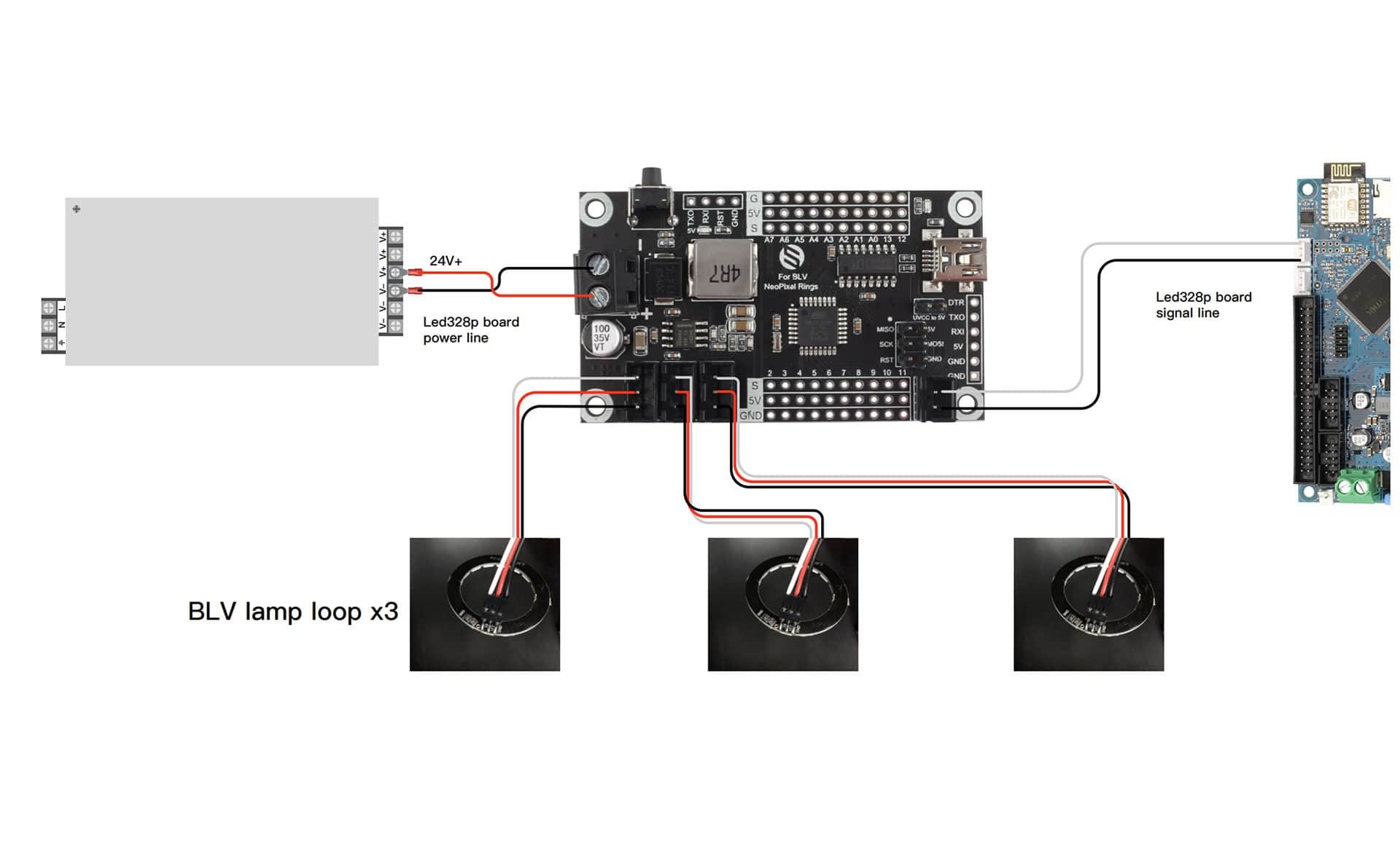
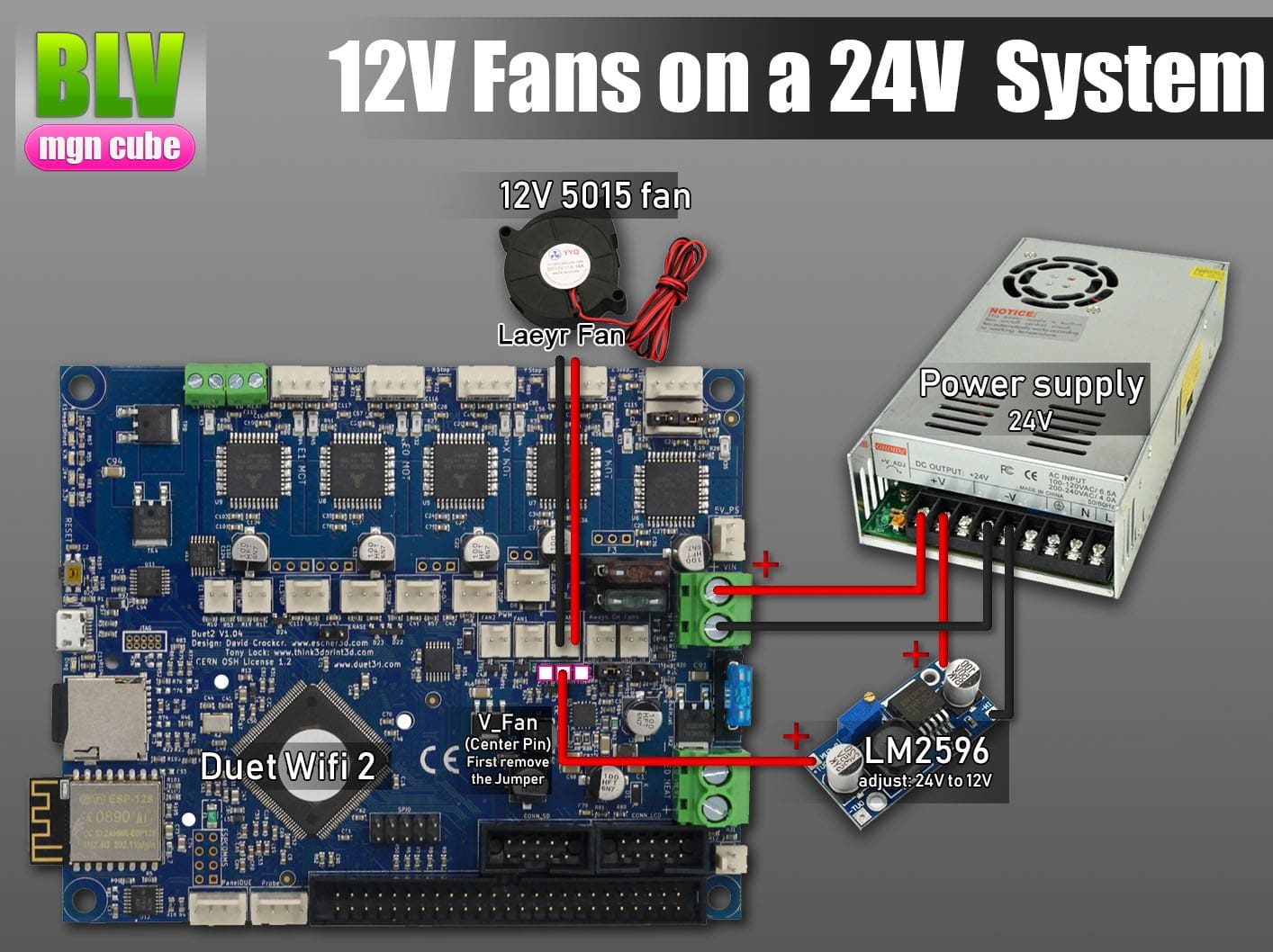
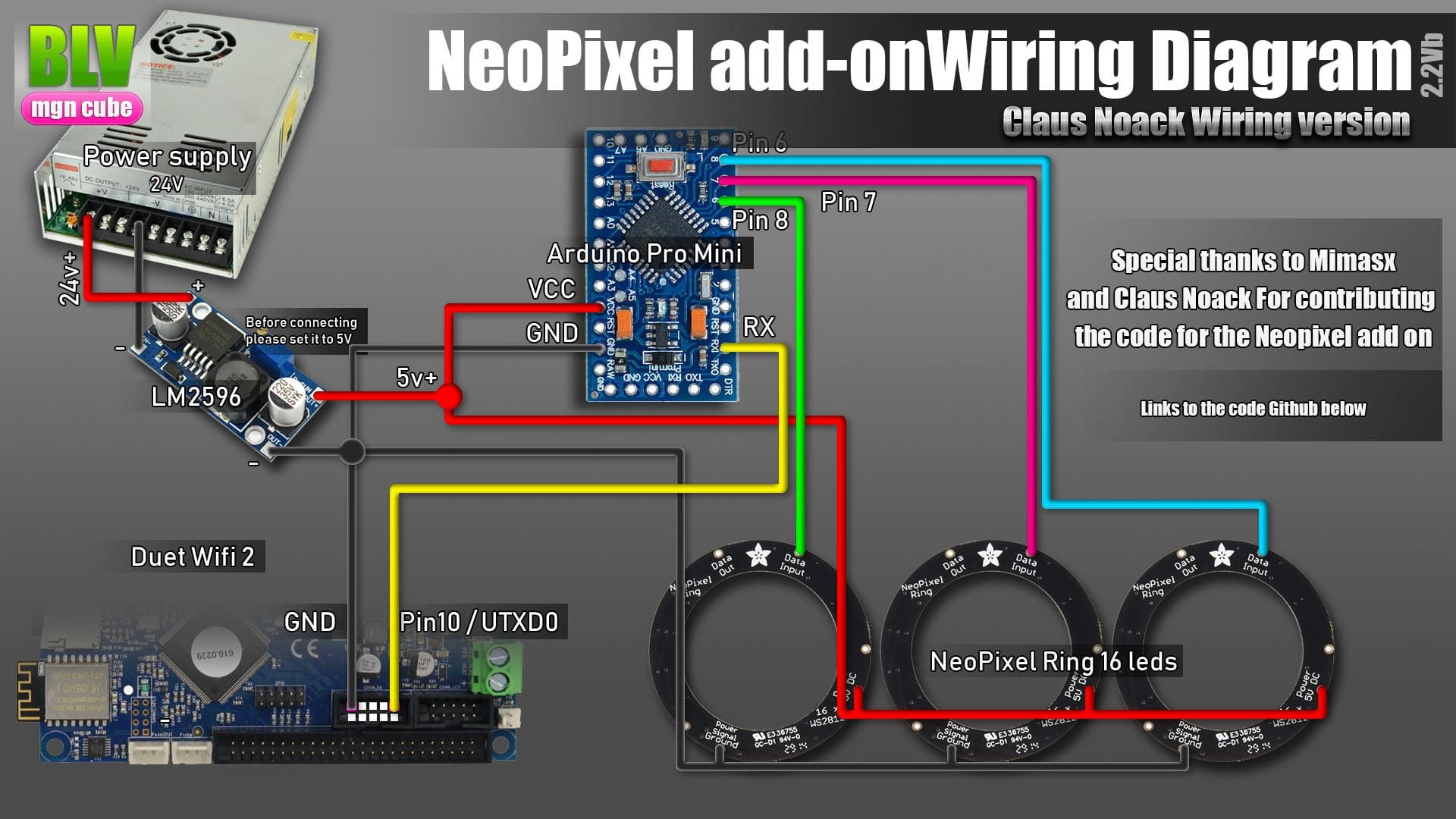
Click a diagram to open it full size. Zoom in to read the pin labels.
Three diagrams: the main wiring (v3.2), 12V fans on a 24V system (wire 12V fans this way to protect the board and the fans), and the Neopixel rings on the front panel that show the printer status with animations. Arduino code for the rings: latest code by Claus Noack (confirmed working) or the first alpha by Mimasx.
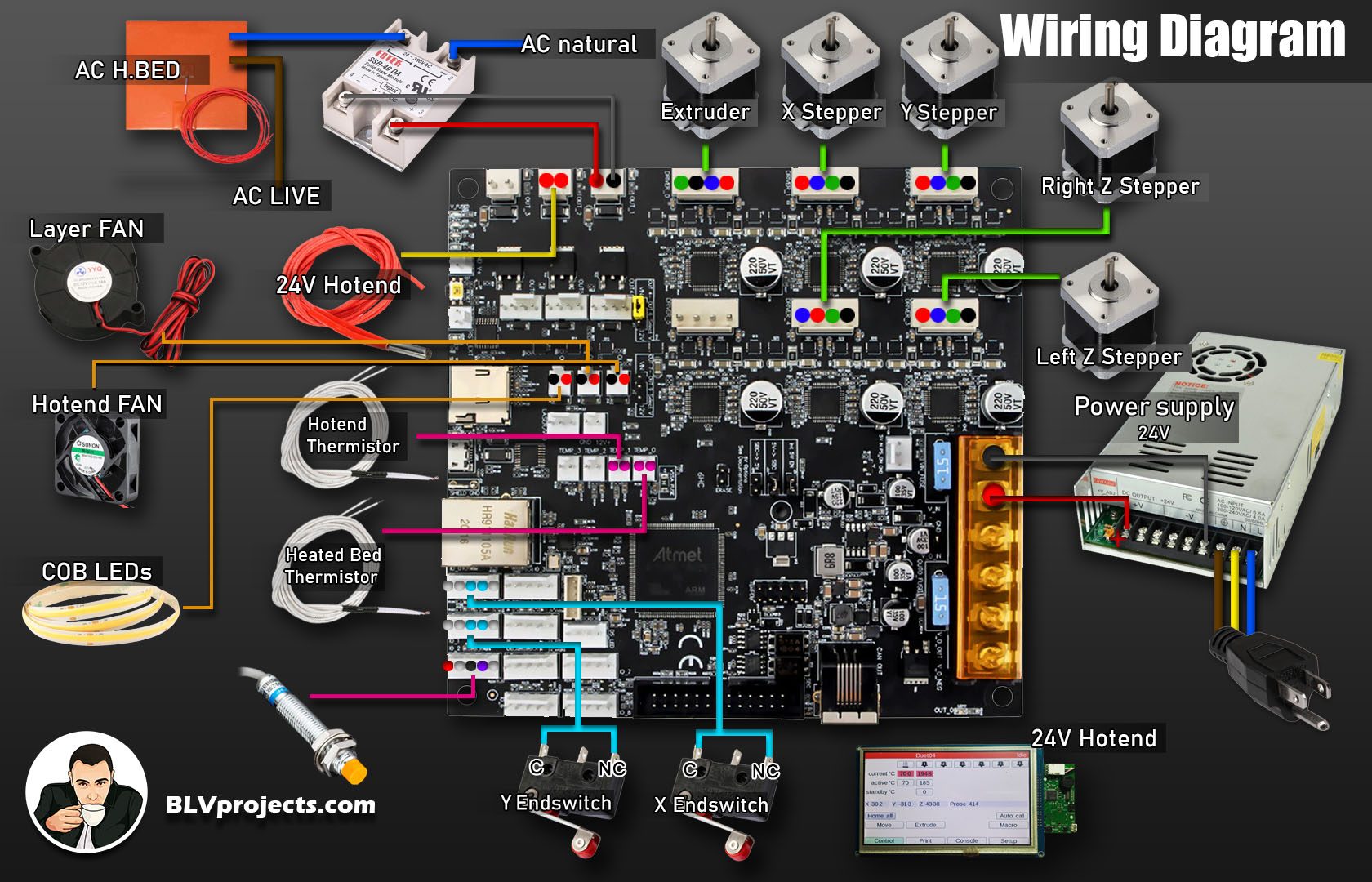
Wiring diagram for the Duet 3 6HC board. Fans, heaters and the Neopixel rings follow the same logic as the Duet 2 diagrams.
Four diagrams for the FYSETC parts set: the optimized general wiring, the BLTouch auto-leveling sensor, the power button with relay module, and the FYSETC BLV Neopixel module. The Neopixel module is a 5-minute install: the cables are ready, the rings come with soldered pins, and the 2-pin and 3-pin plugs only fit one way.