Assembly
By now you should have all the parts, and the most exciting stage begins. It needs care and attention. The later upgrades made the assembly shorter and easier: the Blind Joints frame cuts up to 70% of the frame time, and the Metal Kit saves many hours of printing and installs more easily. The steps below work with or without the upgrades.
Tools to prepare:
- Wire cutter
- Allen tool set
- Set of torque screwdrivers
- Tapping tools
- Protractor
- Aluminium 90° clamps for squaring the frame
- PTFE tube cutter
- SN-28B Dupont crimping tool
Use the 3D viewer at any point
Explore, measure and isolate parts in the browser: full printer · frame only · panels and walls only
Choose your guide
There are three complete guides. Choose one and follow it from start to finish.
| Guide | Best for |
|---|---|
| FYSETC step-by-step videos | The whole printer in 7 videos: frame, electronics, mechanics and printed parts. Recommended even with the Metal Kit. |
| David Husolo's step-by-step guide (iFixit) | Every step and component in detail, written for the FYSETC parts set by a very talented community member |
| The original project guide (below, and the original guide post) | Animated videos and written text in several parts, including the FYSETC parts |
FYSETC step-by-step video guide
FYSETC produced a series of step-by-step videos that show in detail how to build the whole printer. Many thanks to the FYSETC team for this excellent guide.
The original assembly guide
Main frame
Prepare the tools and the aluminium extrusions. Print the installation jig (Jig_Main.stl), preferably two of them, to place the extrusions exactly where they belong. Measure each profile and sort them by length before you start. The drawings show where each profile goes.
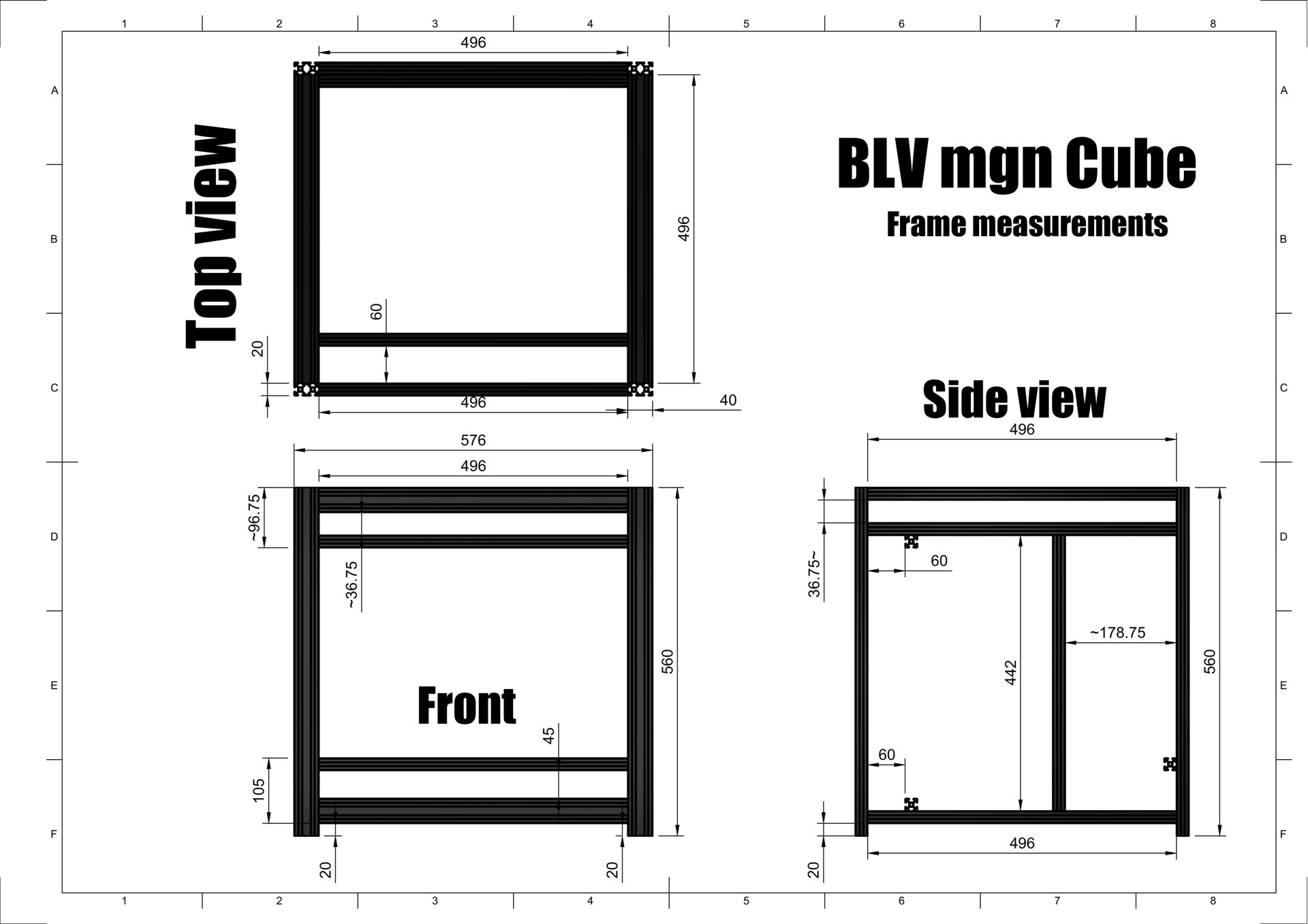
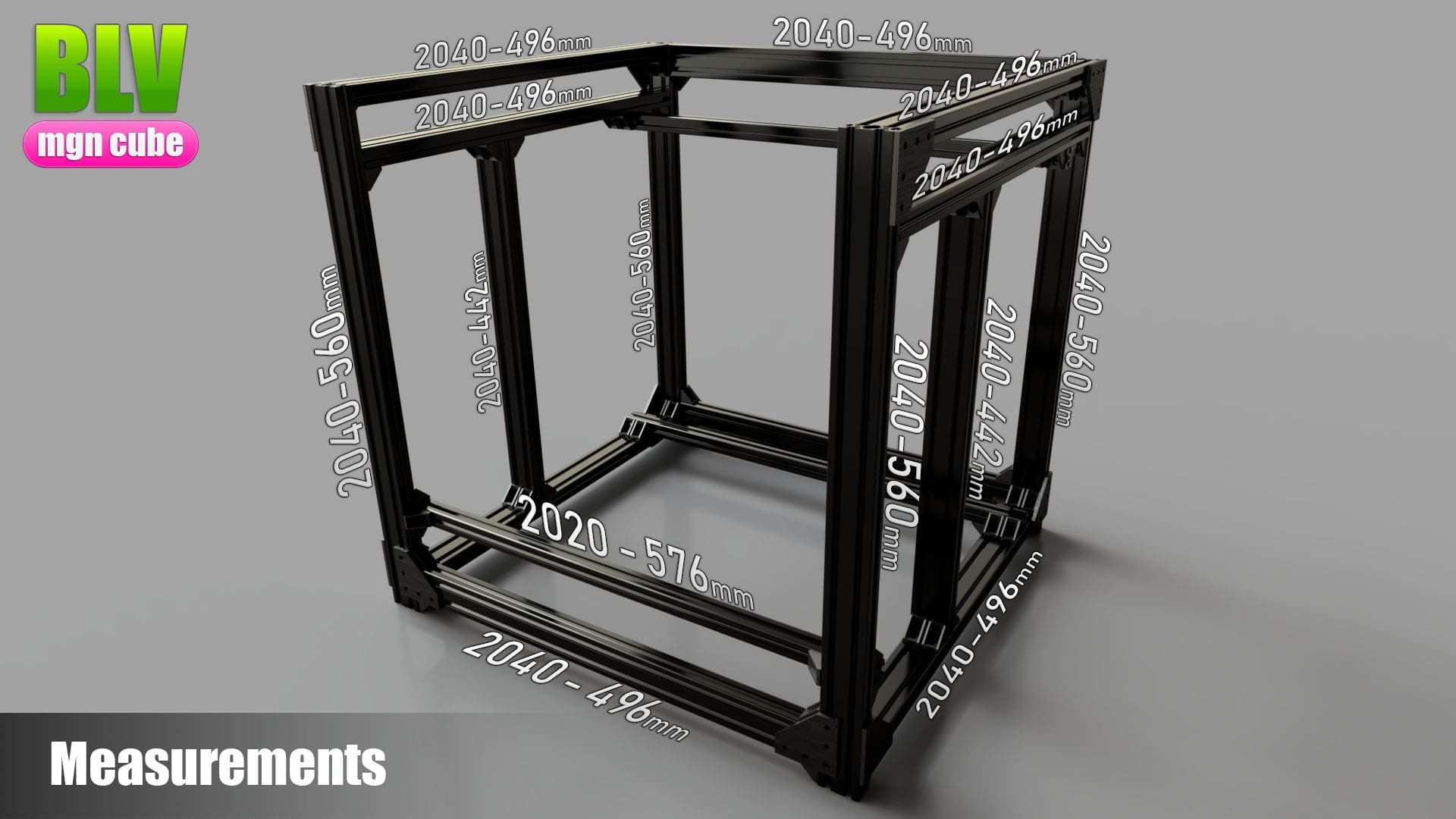
The first video by FYSETC shows the full Blind Joints frame assembly. Watch every step carefully, since other versions of the frame may differ slightly. The second video explains the hidden joint idea, and in the third, community member Harel shows how simple it is with only an Allen key.
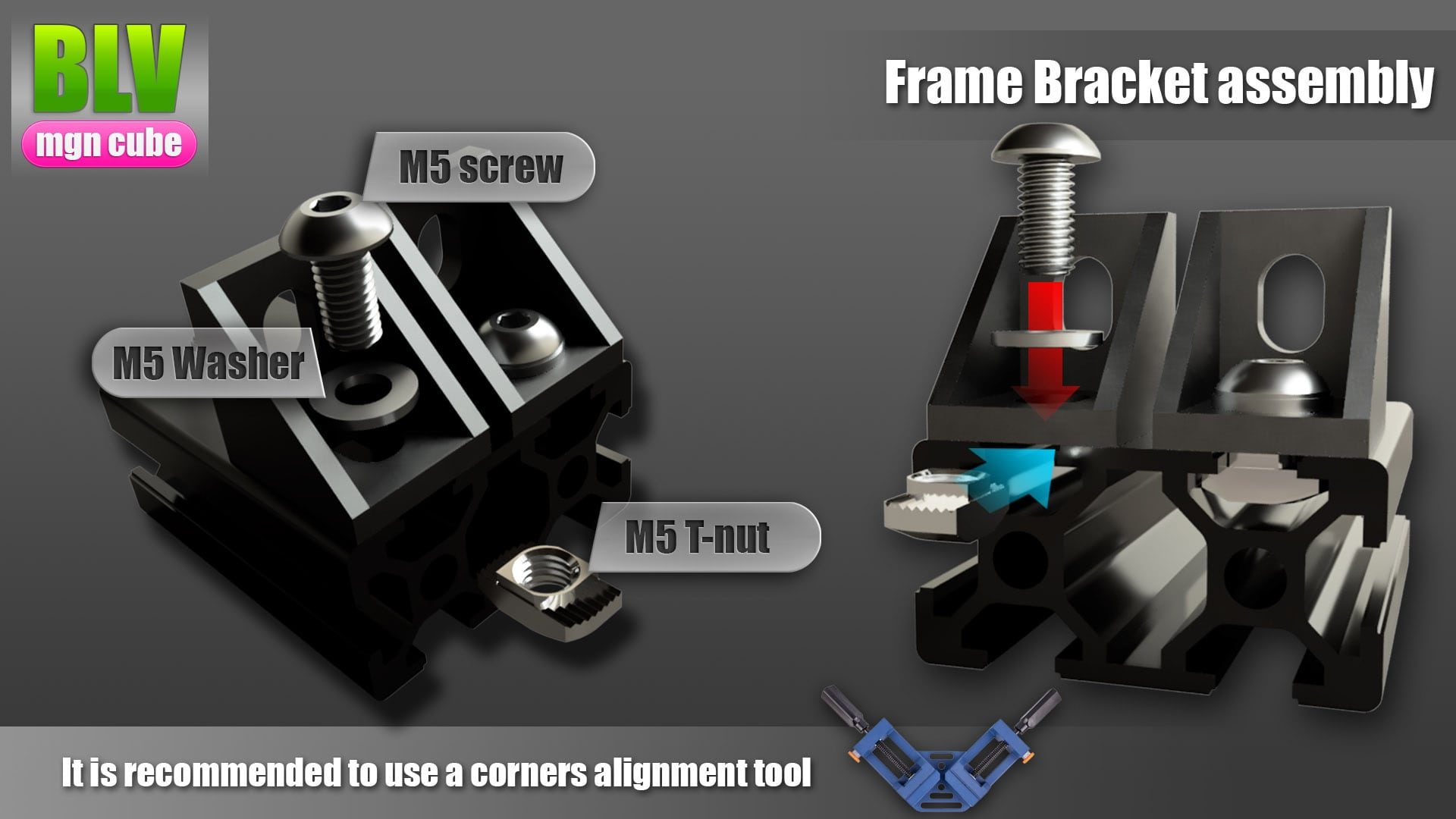
The assembly video doesn't show the brackets. All the extrusions are joined with brackets as in the picture. The second video is a 3D tour of the finished frame, which you can also explore in the 3D frame viewer.
Metal Kit or printed parts?
Assembling the Metal Kit is quite different from assembling printed parts. With metal parts, follow the next section. With printed parts, continue to the belt system.
Metal Kit assembly
Sort the parts first and separate the screws, washers and bearings. The frame should already be fully assembled. The 3D videos show how to install each Metal Kit part. Follow them closely and work precisely.
| Part | Watch out for |
|---|---|
| Left X mount | Use only plates marked L, not R |
| Right X mount | Use only plates marked R, not L |
| Left / right rear corners | The motor standoff length |
| Left / right tensioners | Use only parts marked L / Left or R / Right |
| X carriage | The belt locker is experimental. I prefer a zip tie. |
Note
Before you finish the hotend assembly, stop and install the belts (next section), then come back and complete the hotend.
Belt system
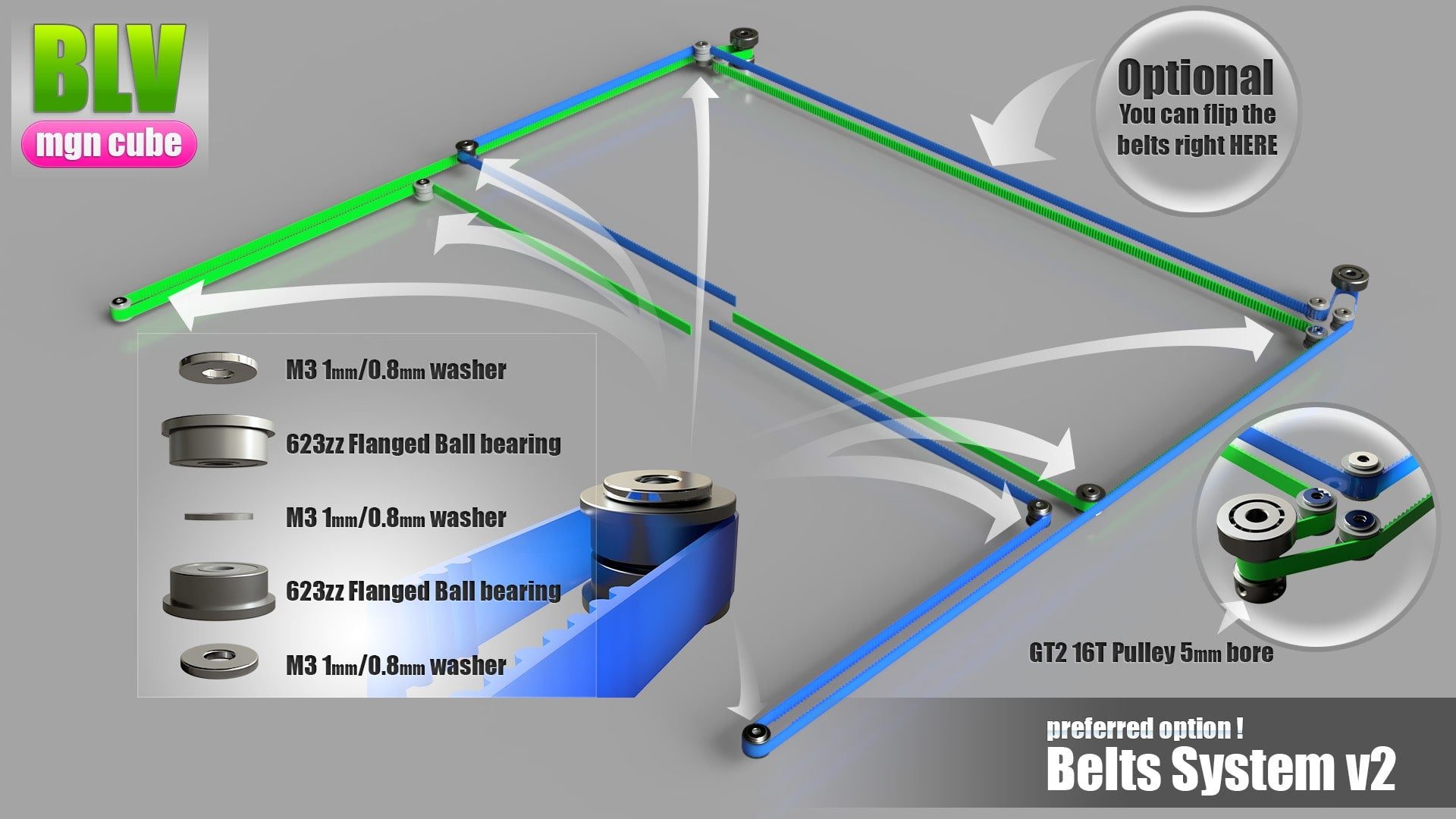
This section applies to every build. The picture shows the belt configuration. The only difference with the Metal Kit is the 0.6 mm washers shown in the assembly video.
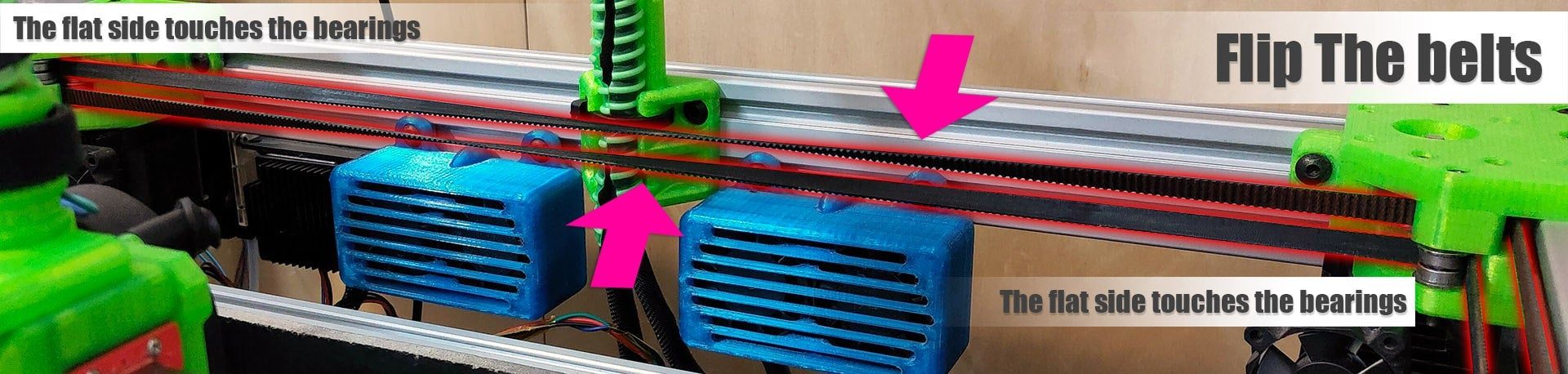
Flip the belts at the rear so that only the flat side touches the bearings (second picture).
Axes, panels and corners
Work through the tabs in order.
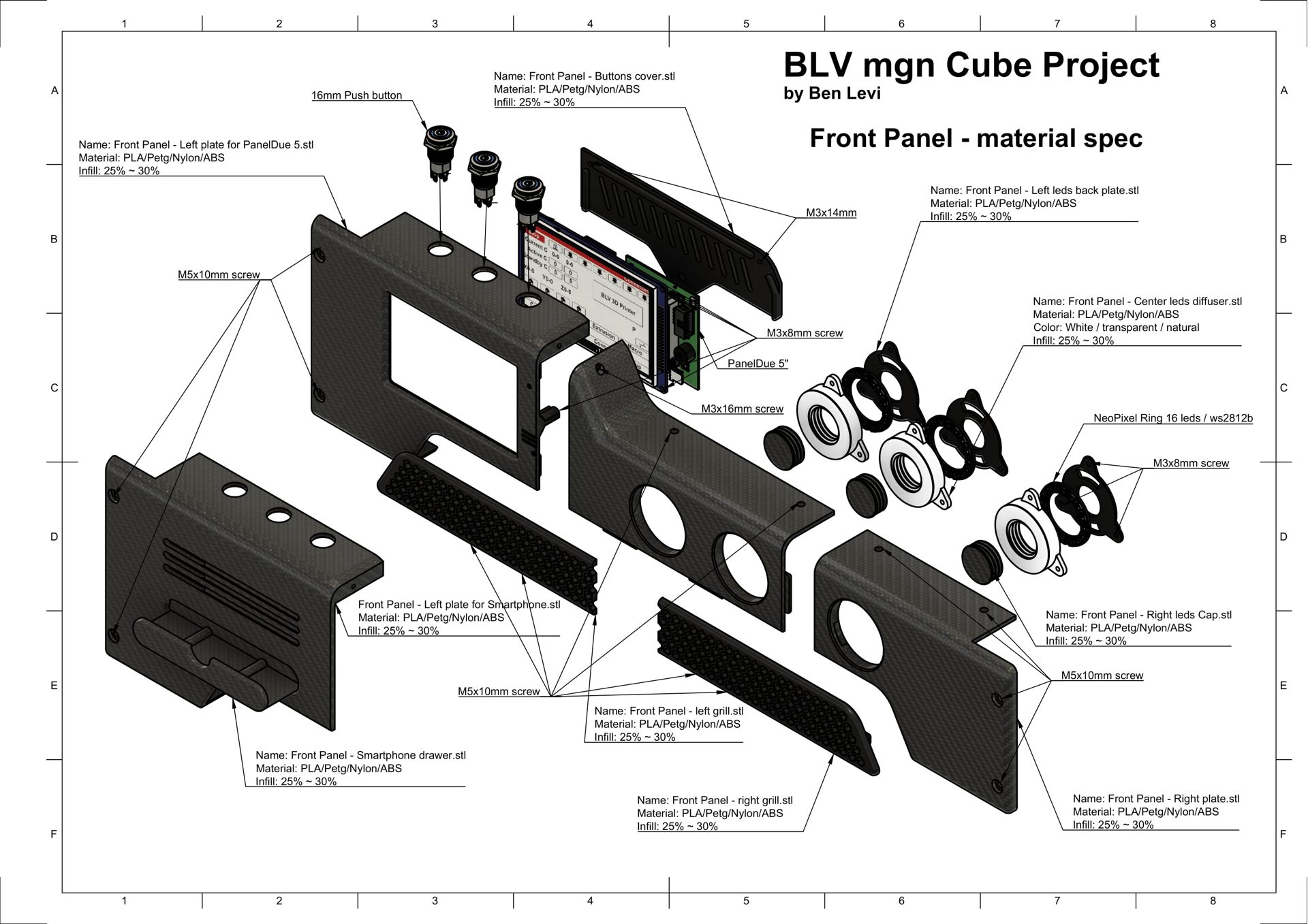
This video shows how to install the two front tensioners. Take care not to cut the belt while fitting it. Most parts are marked R for right and L for left.
Installing the Y axis parts. Smooth the bearing seats as much as possible and follow the markings on the parts.
Put tape on the rail to keep the MGN12 carriage from sliding off while you install it.
Check the length of the motor standoffs.
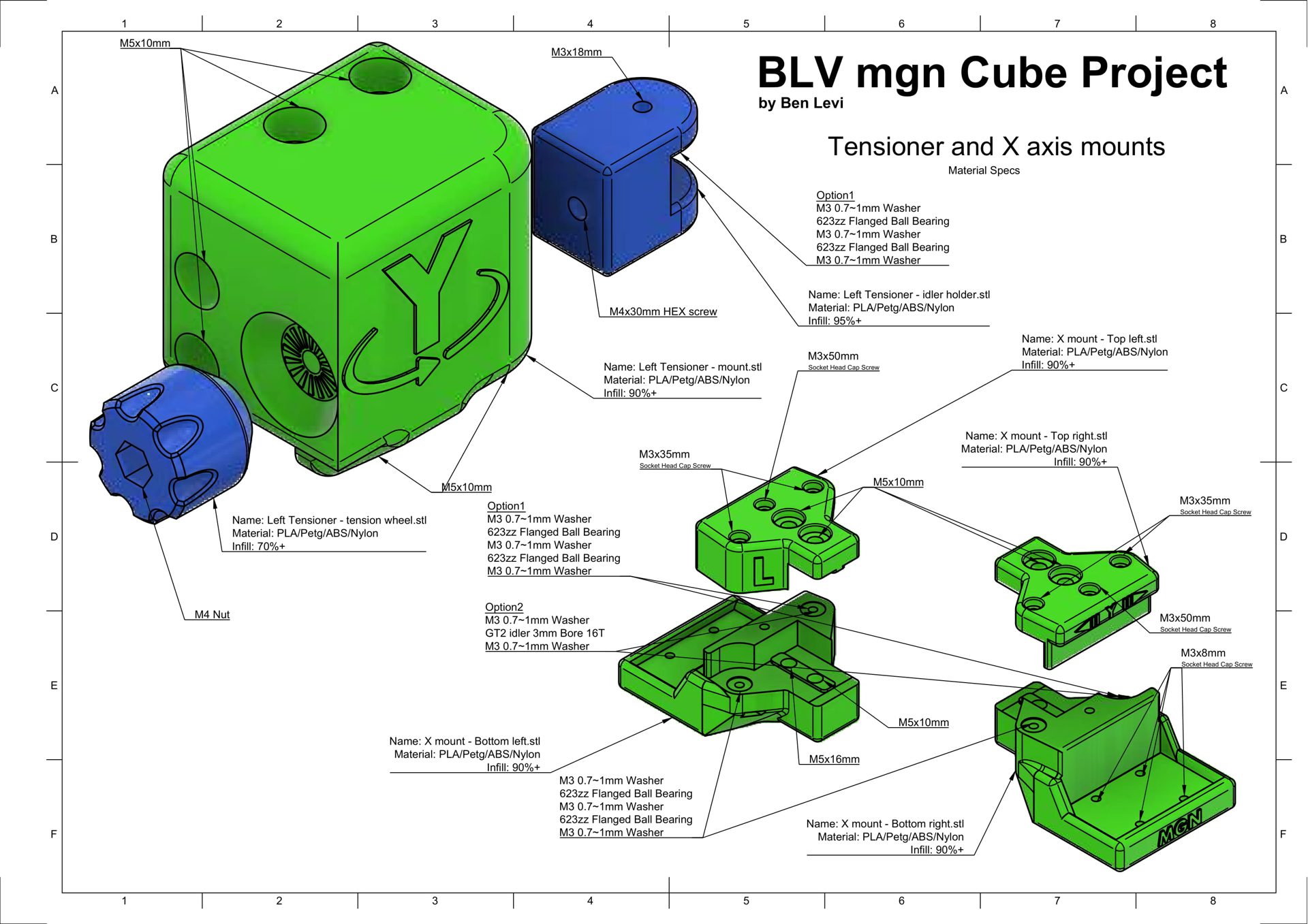
These assemblies are simple. The software crashed several times while I recorded the video, so this drawing replaces it. All the bearing screws are 35 mm long. The drawing shows where each screw goes, and the belt system picture above shows the bearing positions. With the Metal Kit this takes about 5 minutes.
Hotend
The original BLV mgn Cube had official Bowden and direct drive options. The Metal Kit adds a Bowden option with twin blowers and direct drive setups for the BIQU H2 and the Trianglelab Matrix.
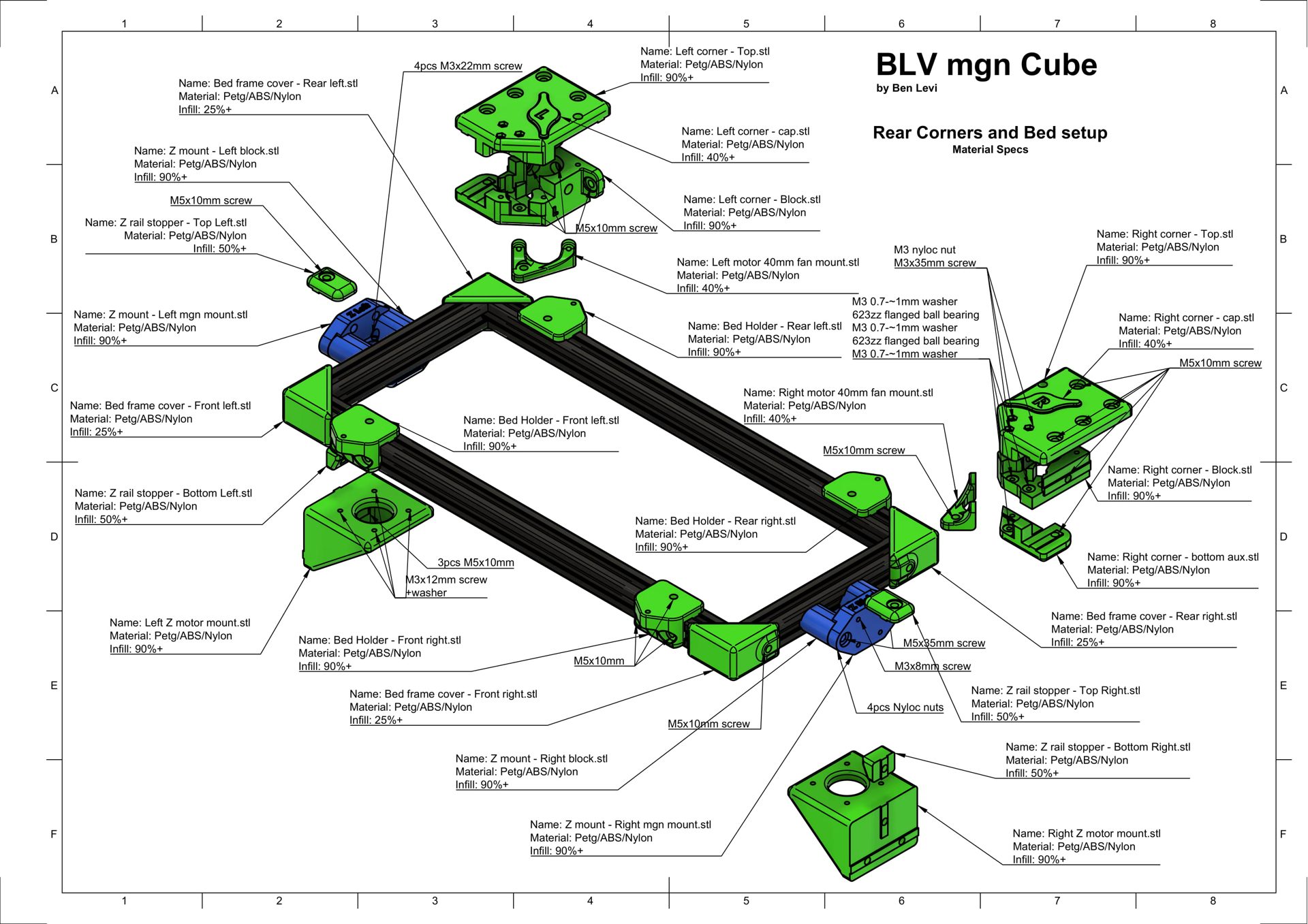
The community also created a large variety of hotends for every version, including a tool changer. Browse the community remixes to find the hotend that fits your needs. The drawings below cover several BLV hotend versions and help with the assembly and the exact auto-leveling coordinates.
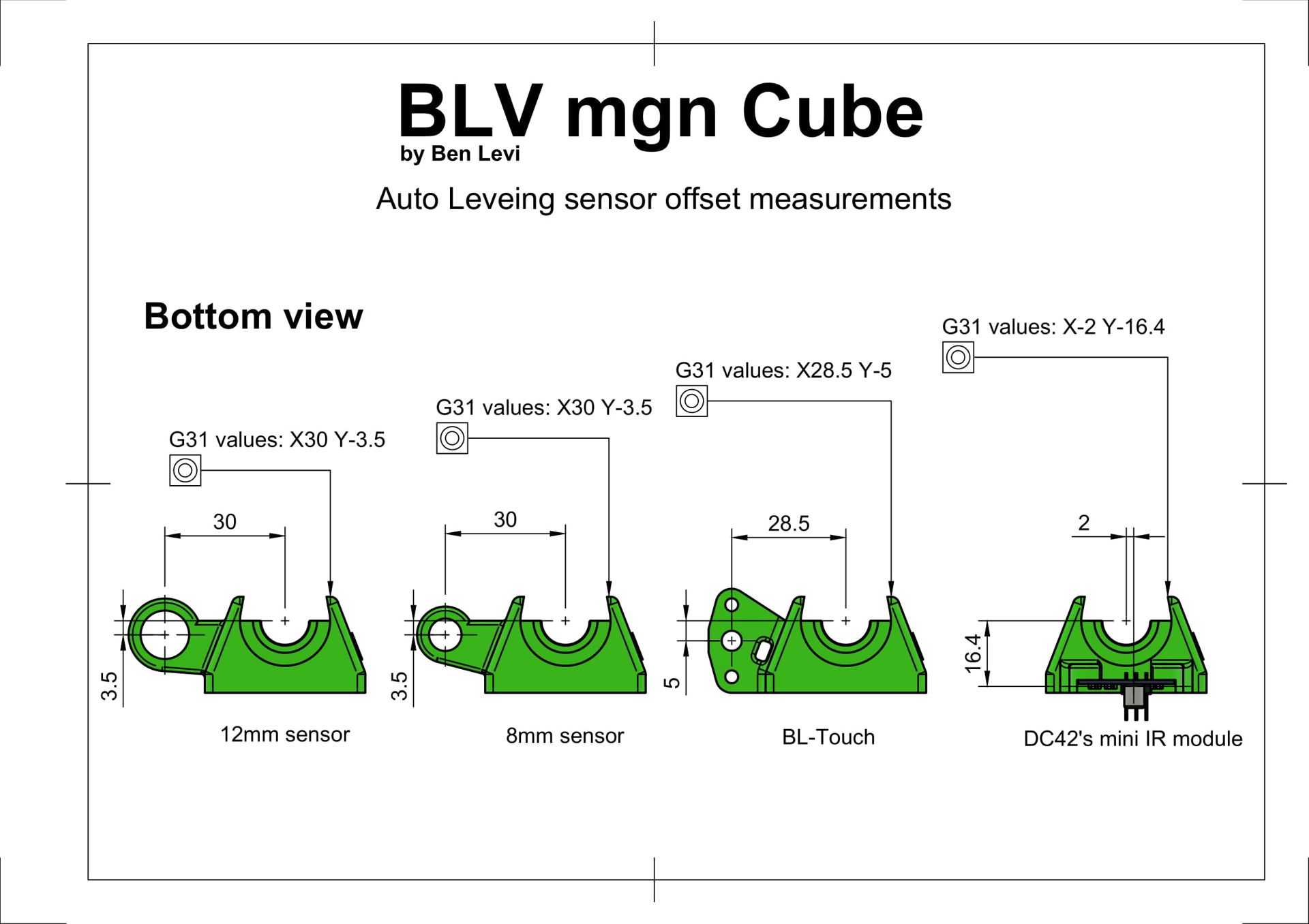
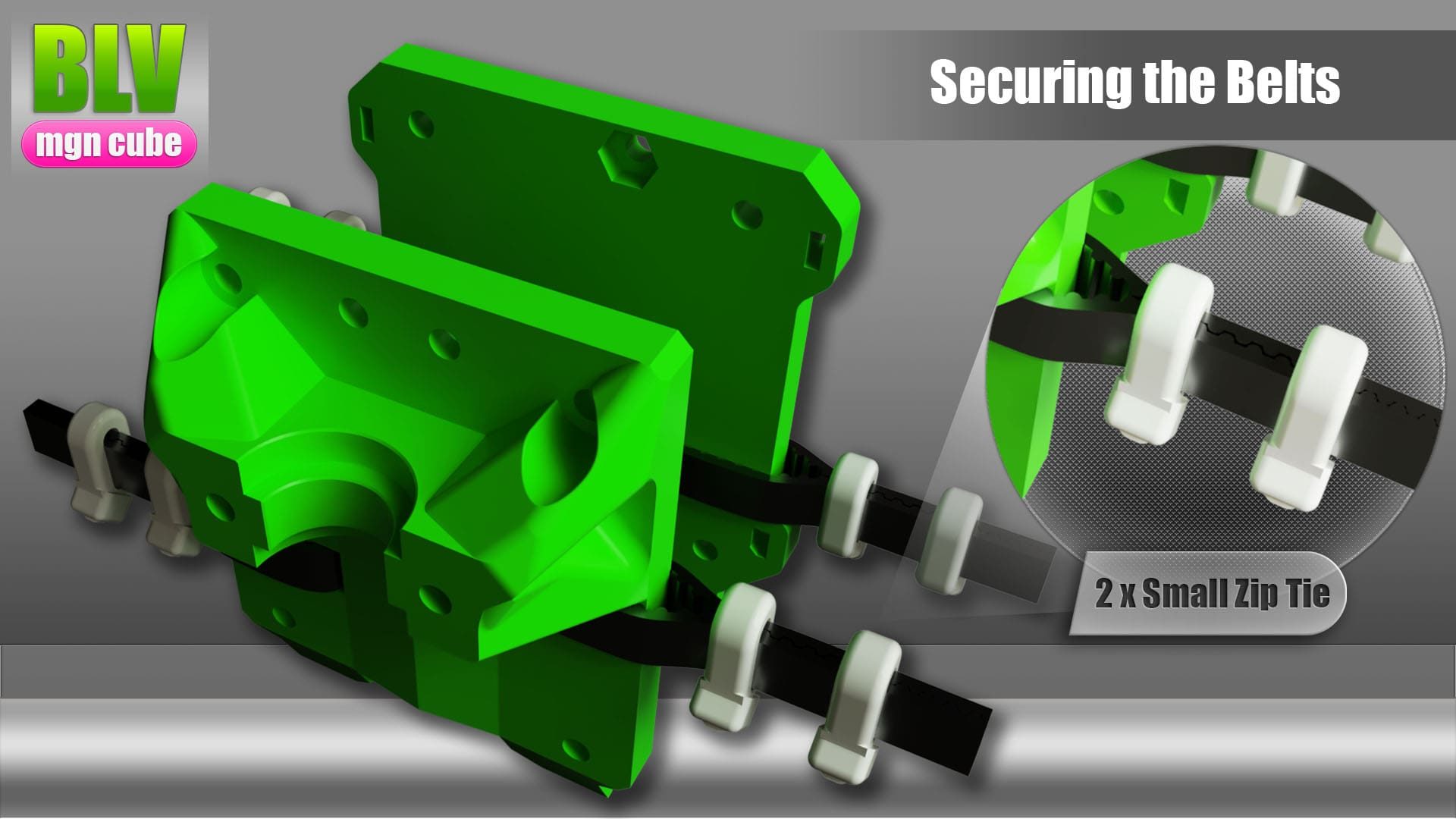
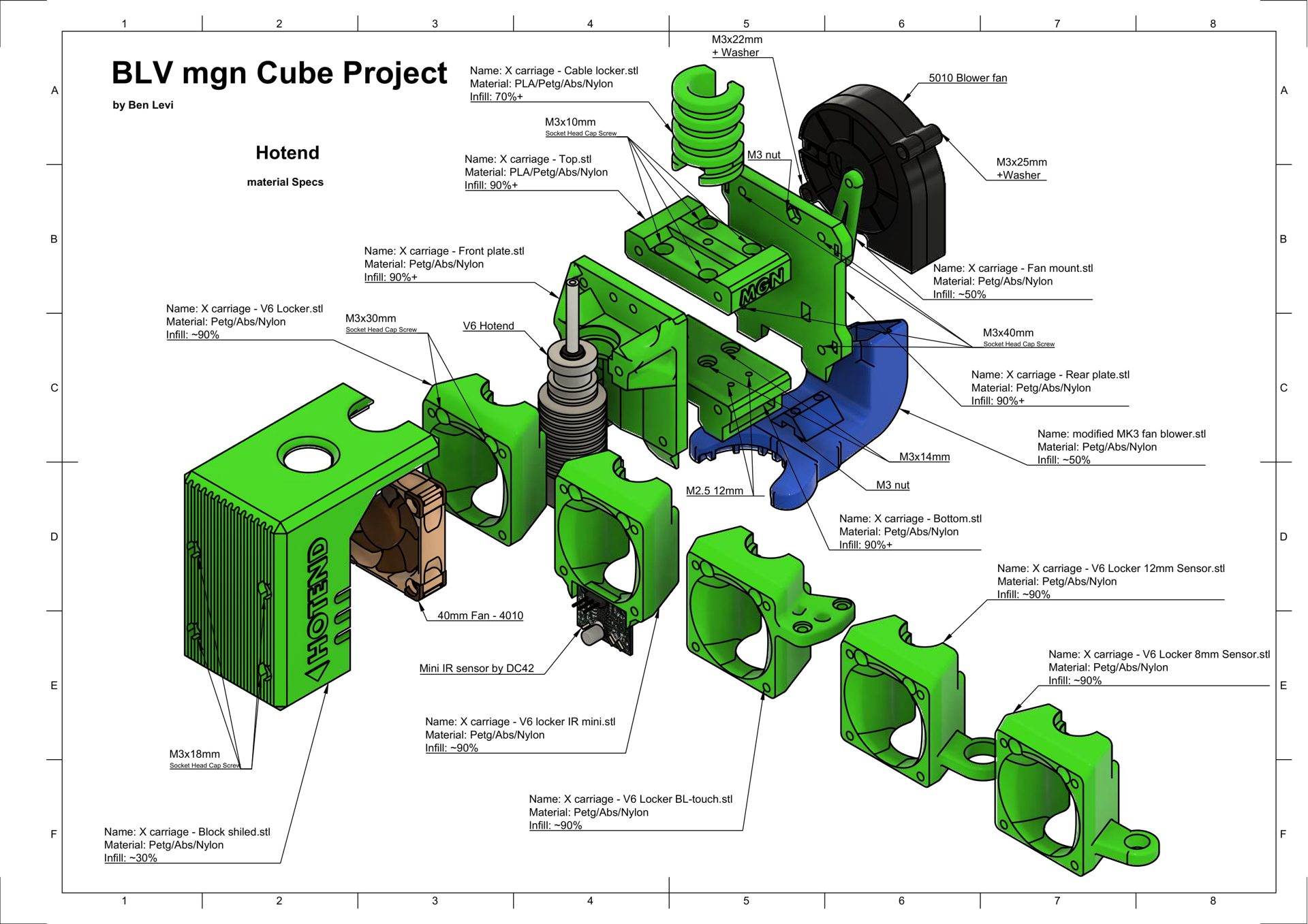
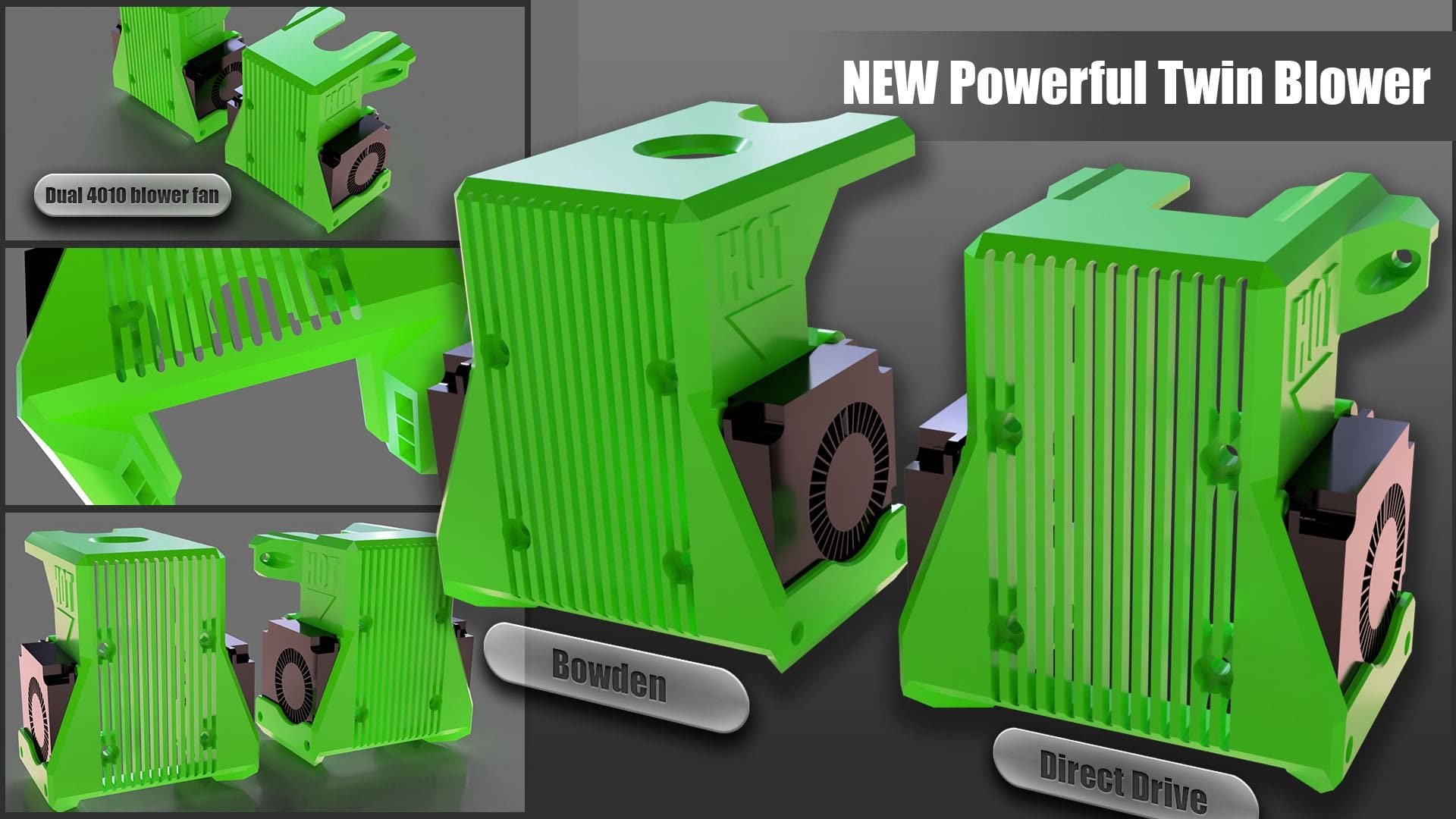
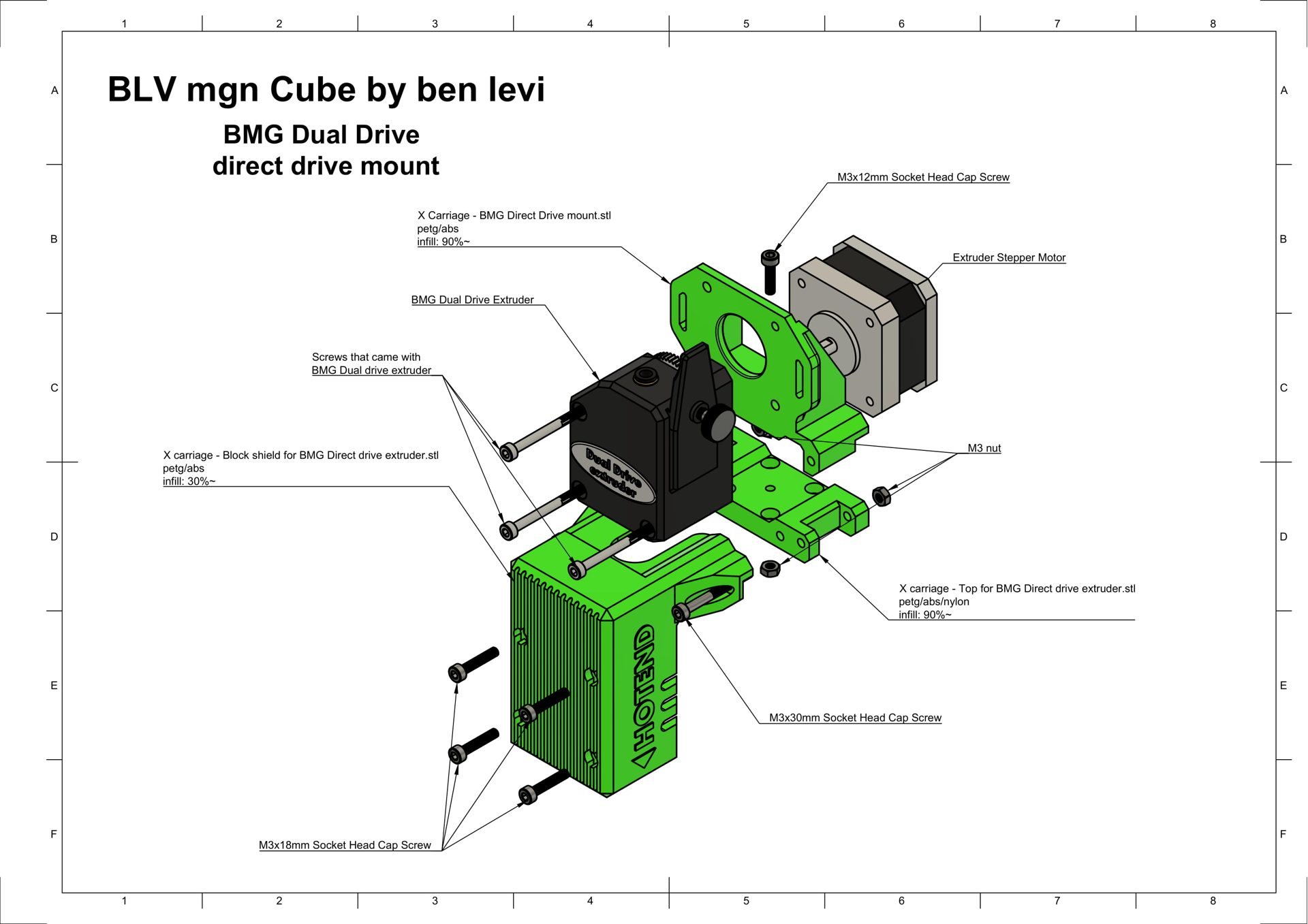
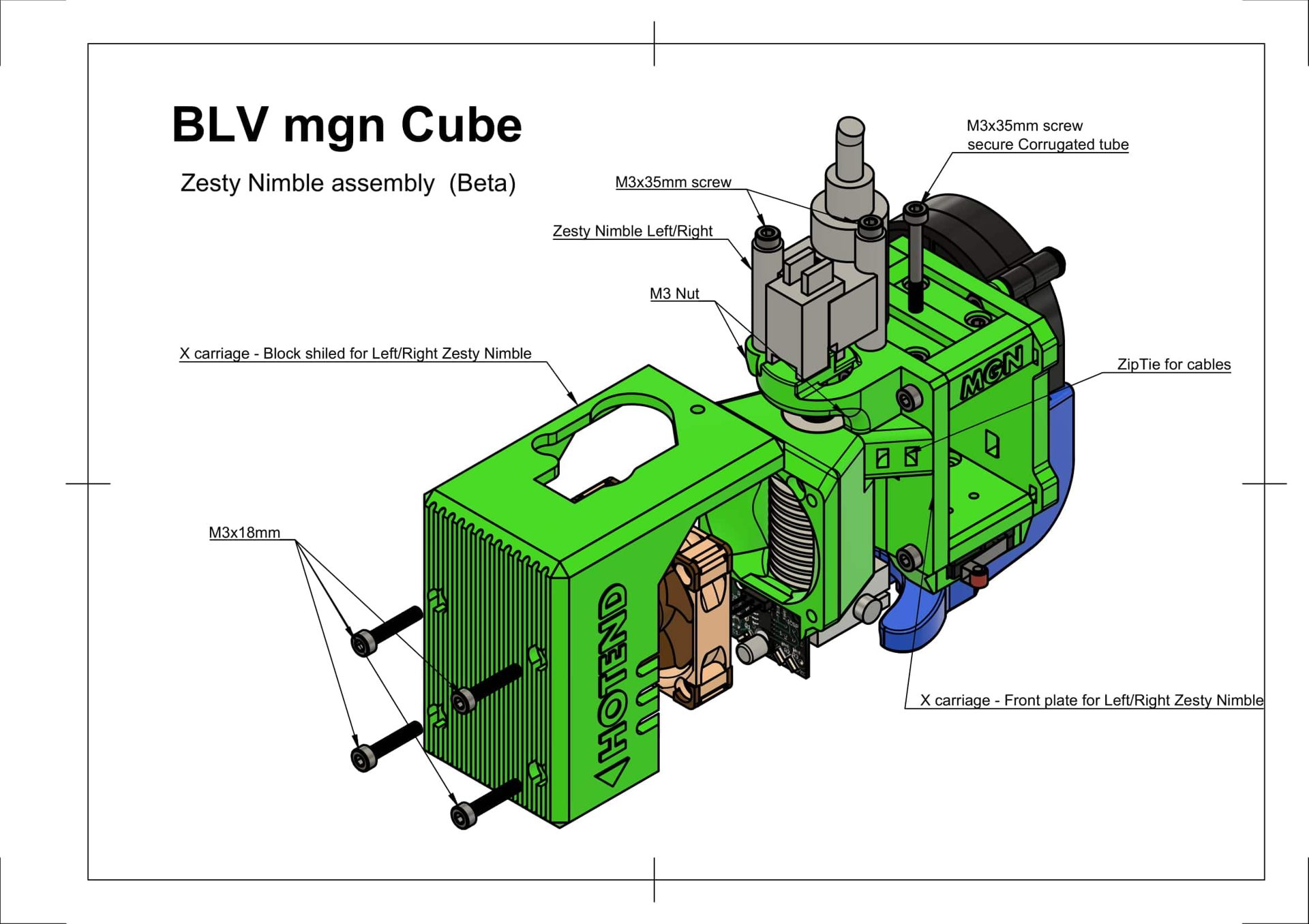
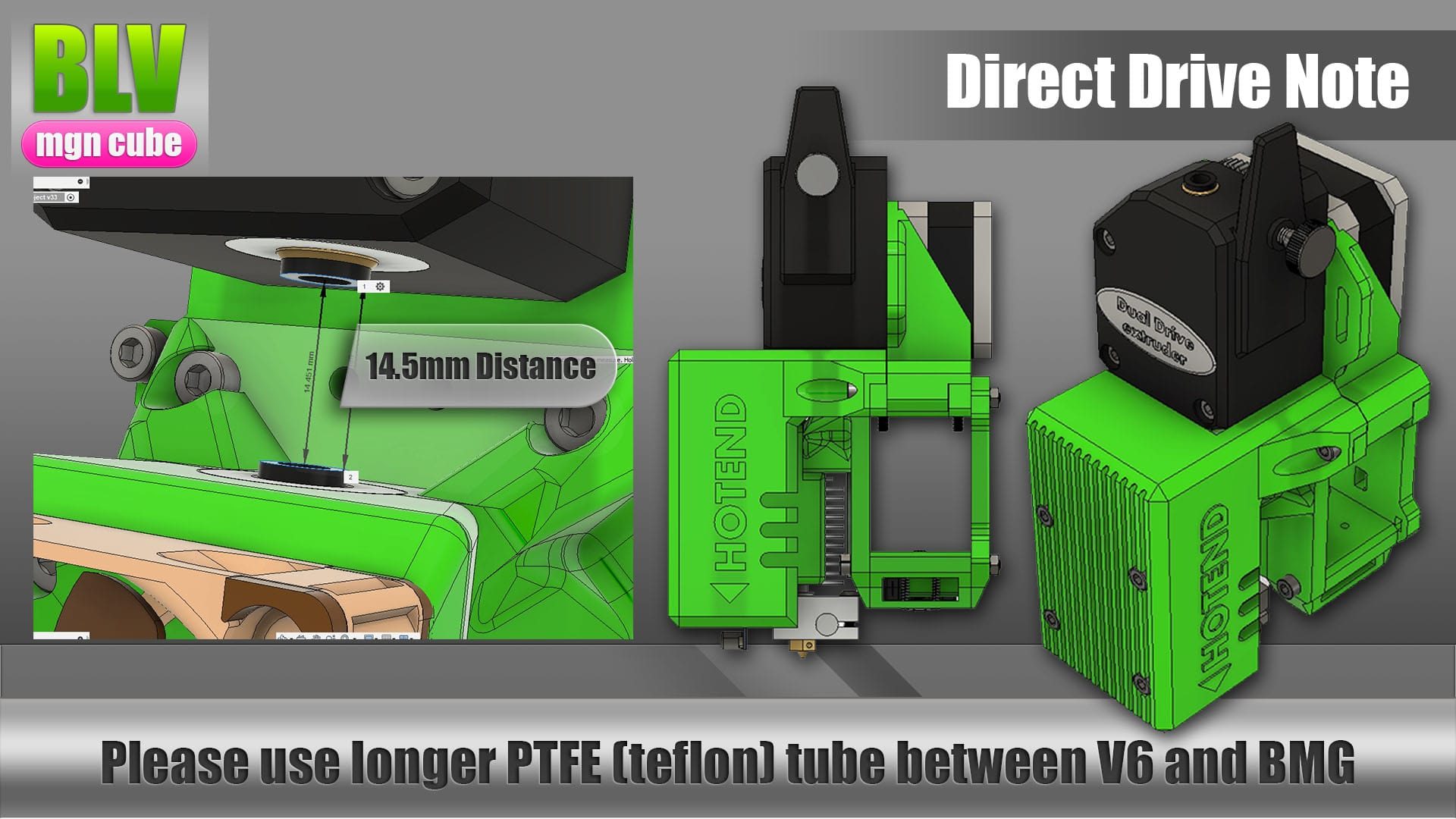
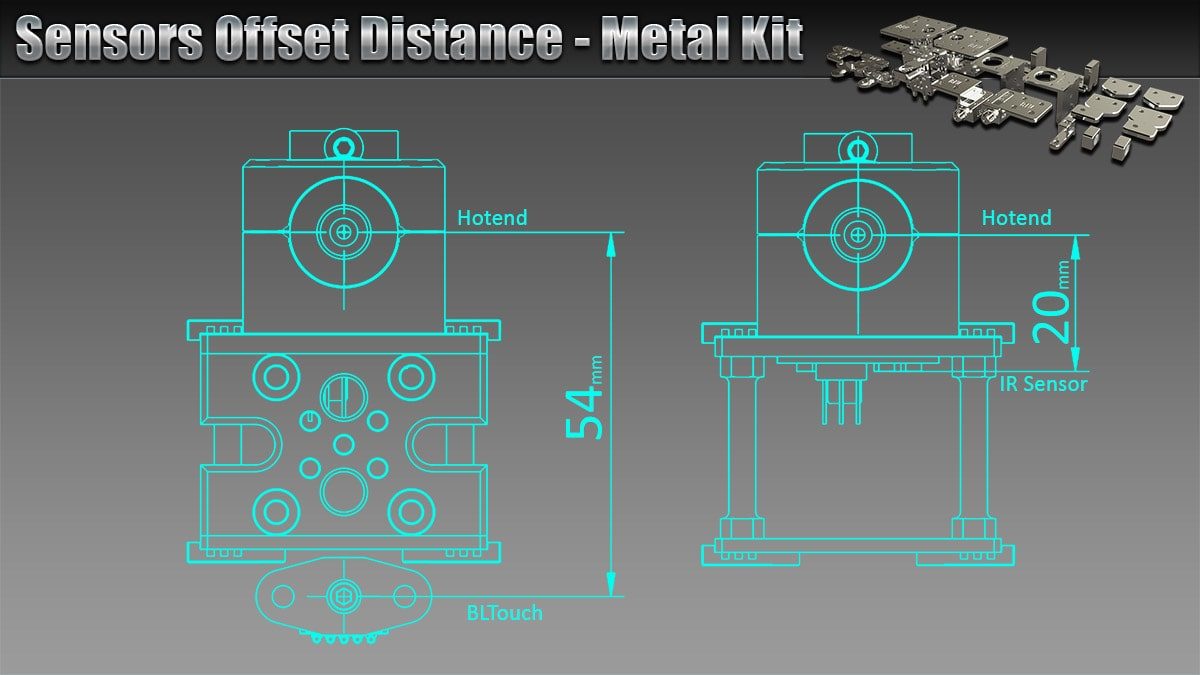
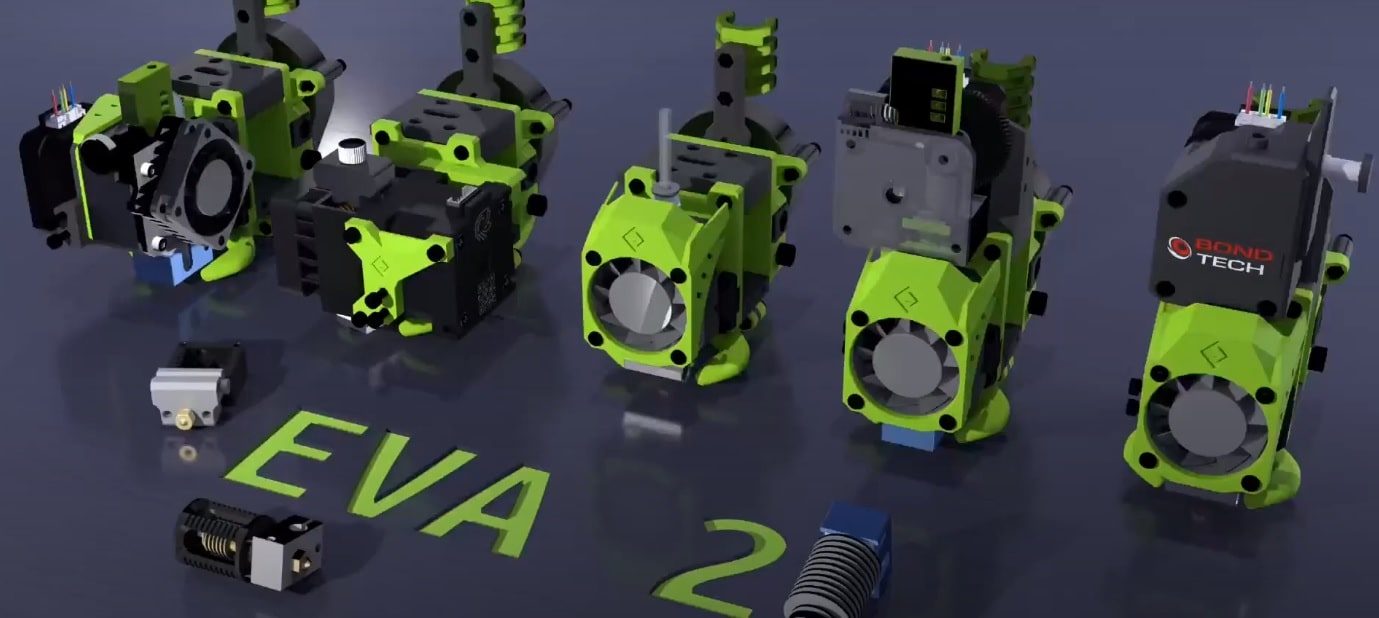
Many of the best hotend solutions came from the community, including a BLV Cube tool changer and EVA 2.3.0 support. They are collected on the community remixes page.
Optional components
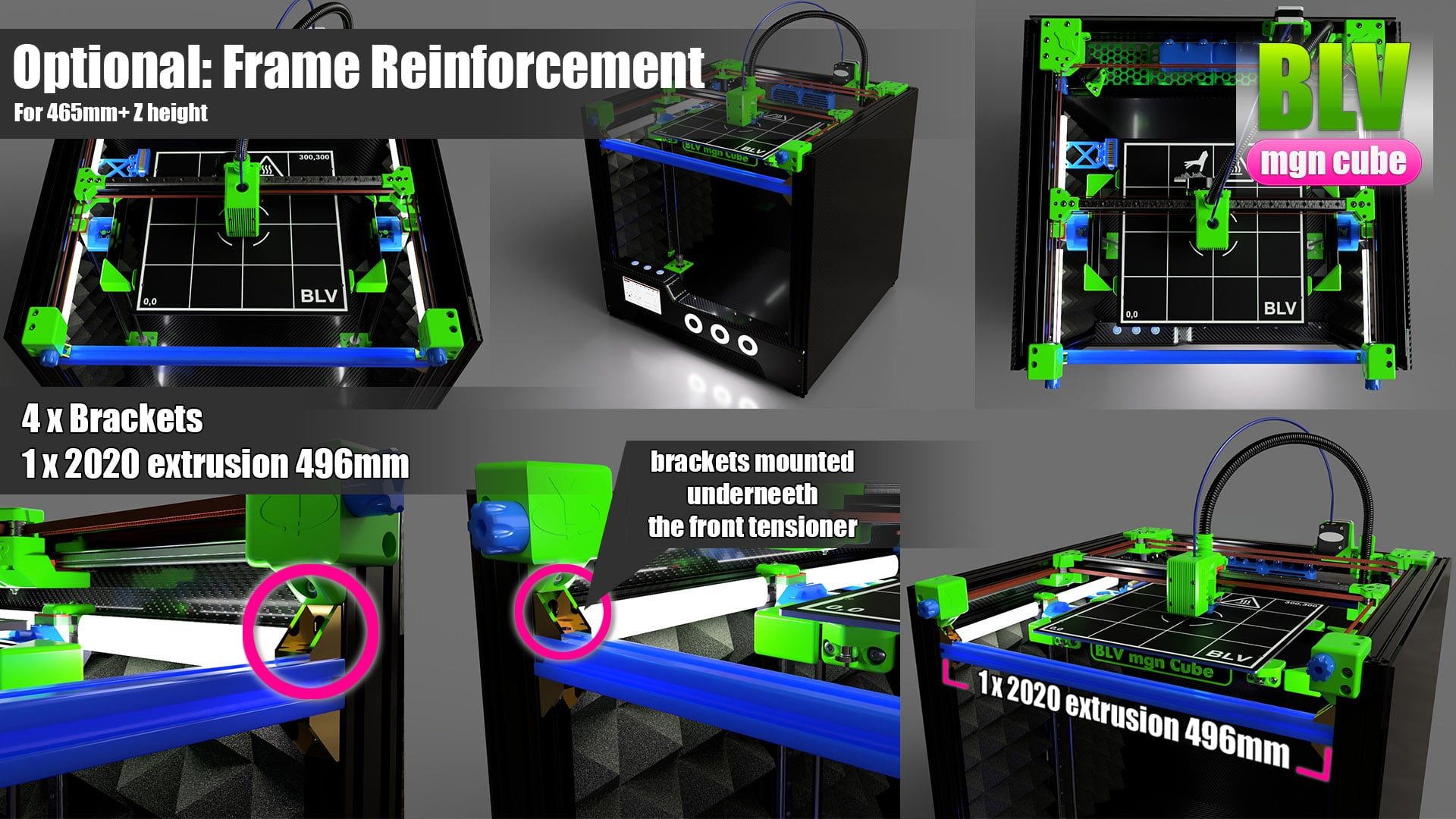
For a printer taller than standard, add a 496 mm reinforcing extrusion at the top, just below the front tensioners, as in the picture. It keeps the frame stable at any height.
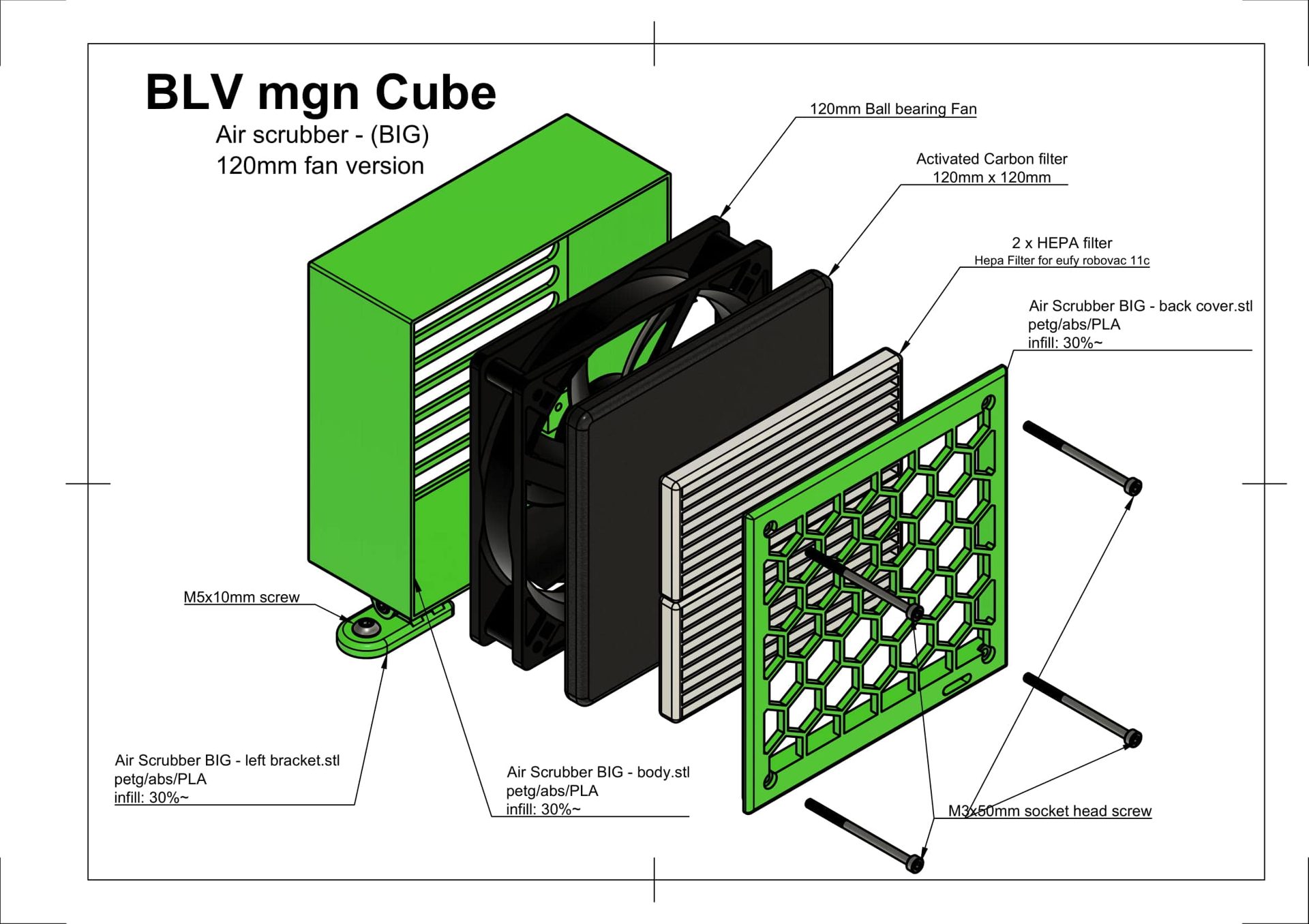
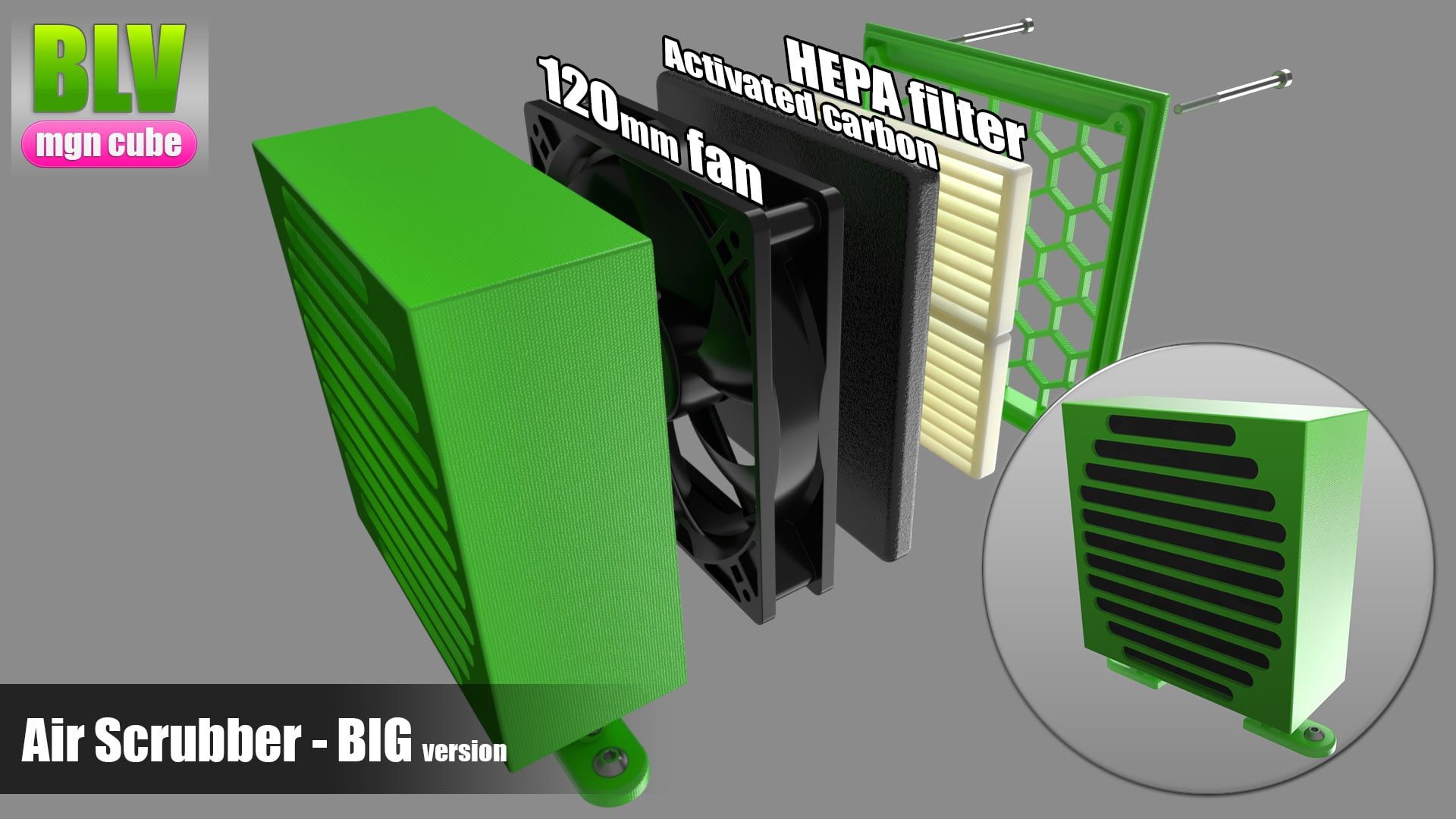
The project includes a small and a large air scrubber. Printing releases fine particles into the air, and the scrubbers filter them.
Mount the fan so it pushes the air into the filter. The air should pass through the activated carbon first and then through the HEPA filter. Check the filters monthly and replace them when needed.
The best bed is an aluminum MIC6 plate with an AC silicone heater, but it has two drawbacks:
- Cost. Both the MIC6 plate and the silicone heater are relatively expensive.
- Risk of electric shock if it is not installed correctly.
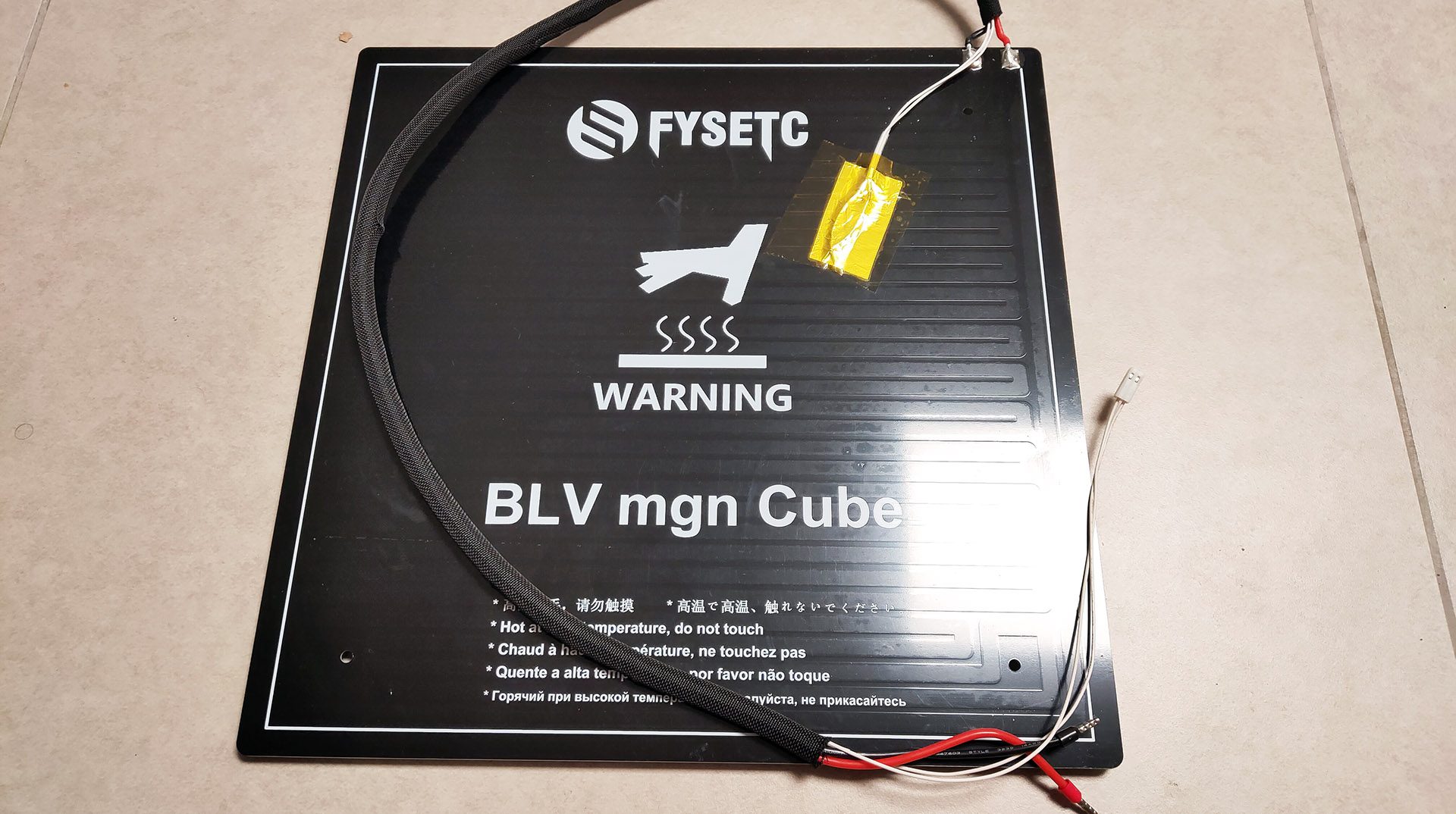
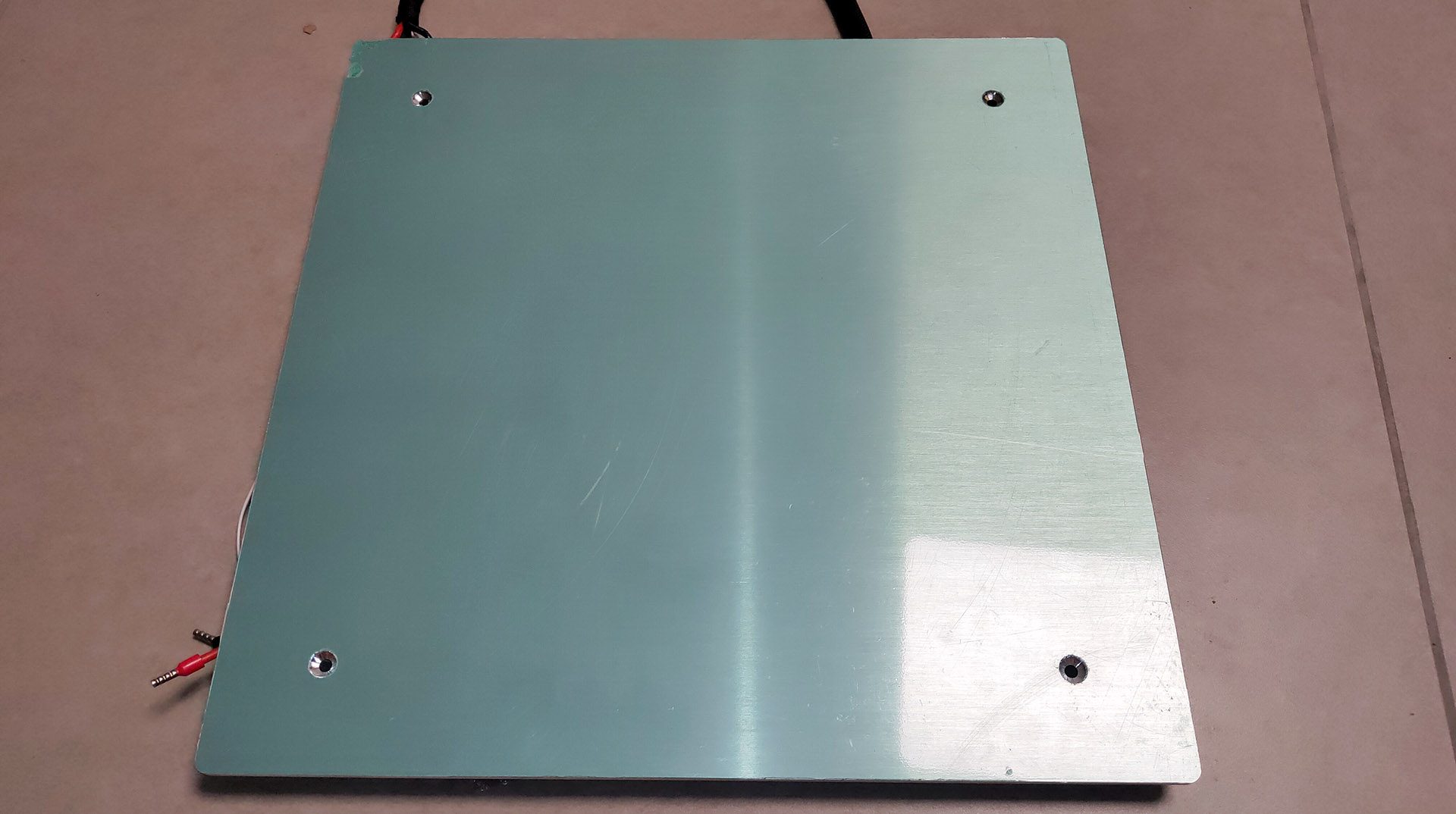
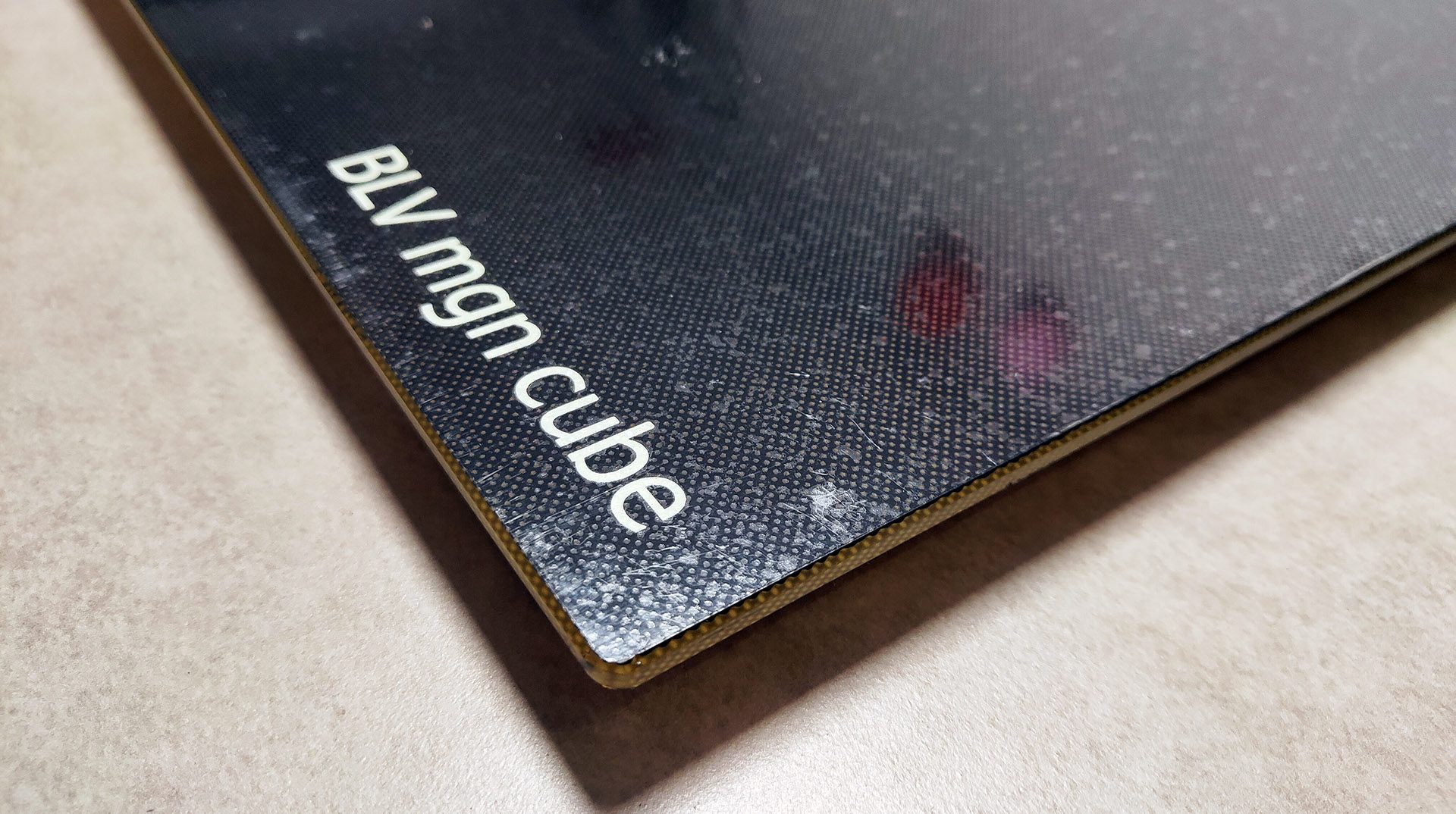
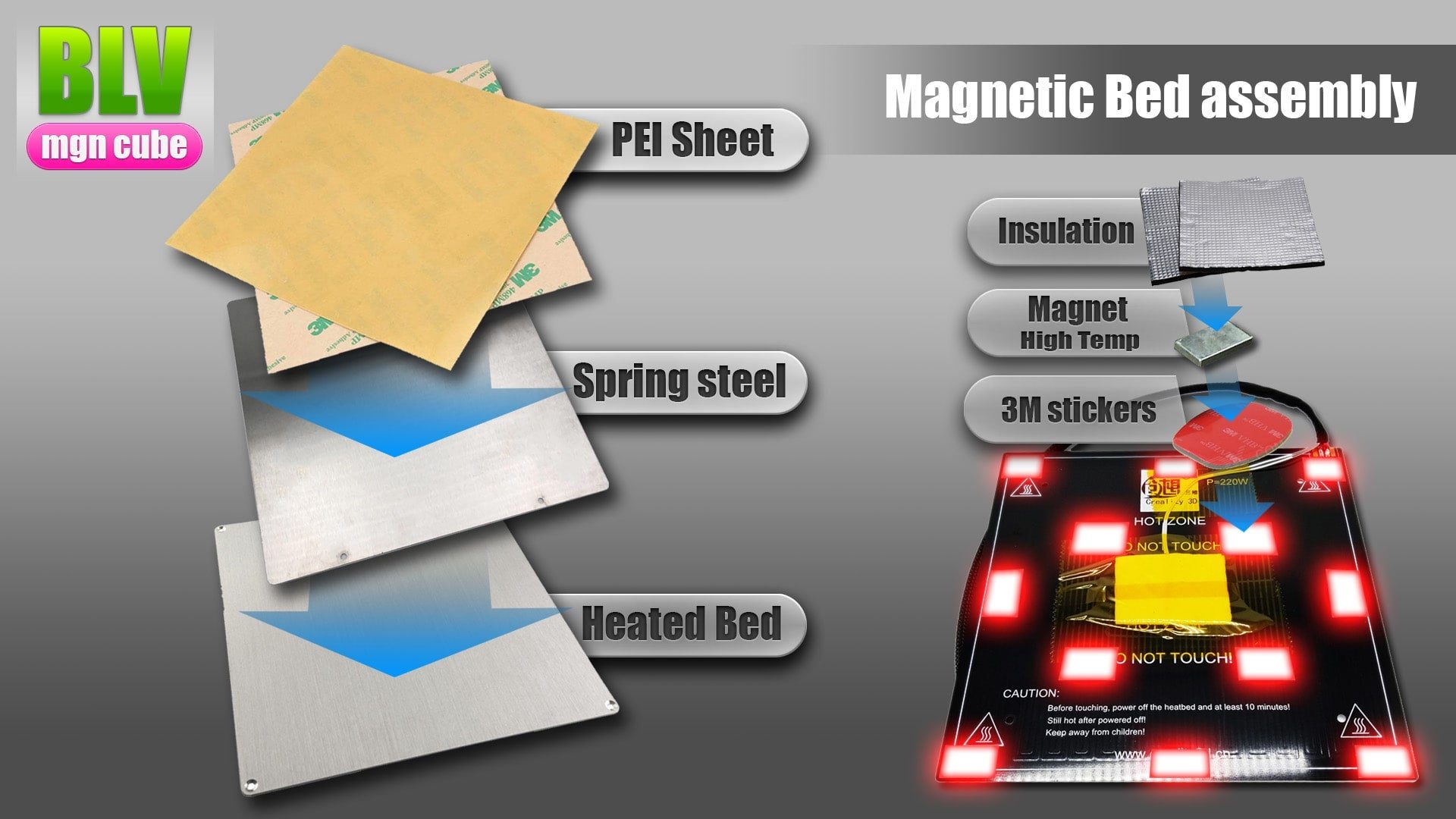
A 24V bed heats more slowly than an AC bed but is safe to use. The FYSETC parts set came with a magnetic aluminum bed and a BuildTak-like glass surface, which is flat and easy to handle. The original Blurolls set came with a PCB bed, which I recommend less because it tends to warp at high temperatures.
These pictures show the FYSETC bed (see my FYSETC unboxing). The bed parts are also listed in the BOM. Install the magnetic surface layers in exactly the order shown.
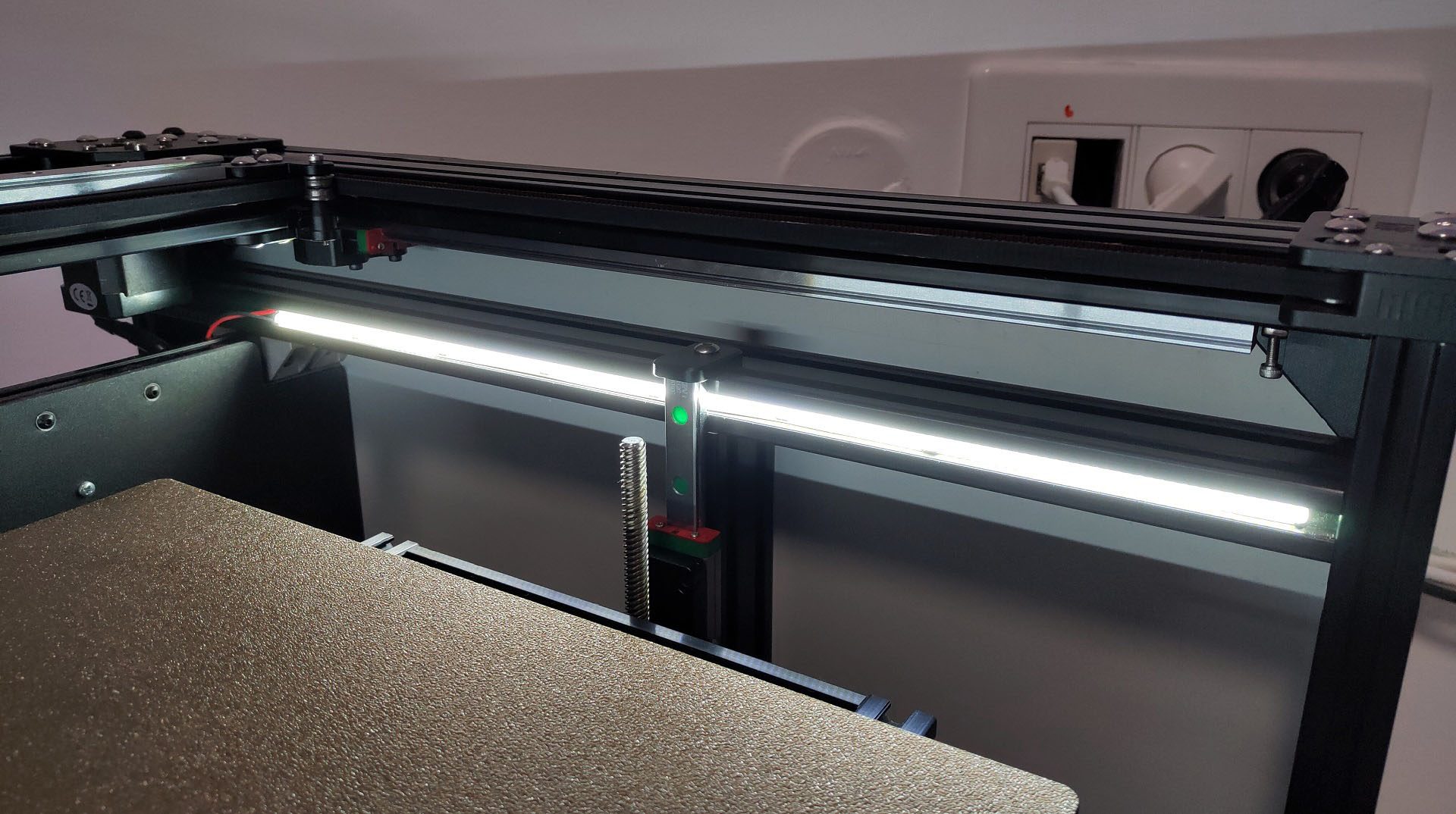
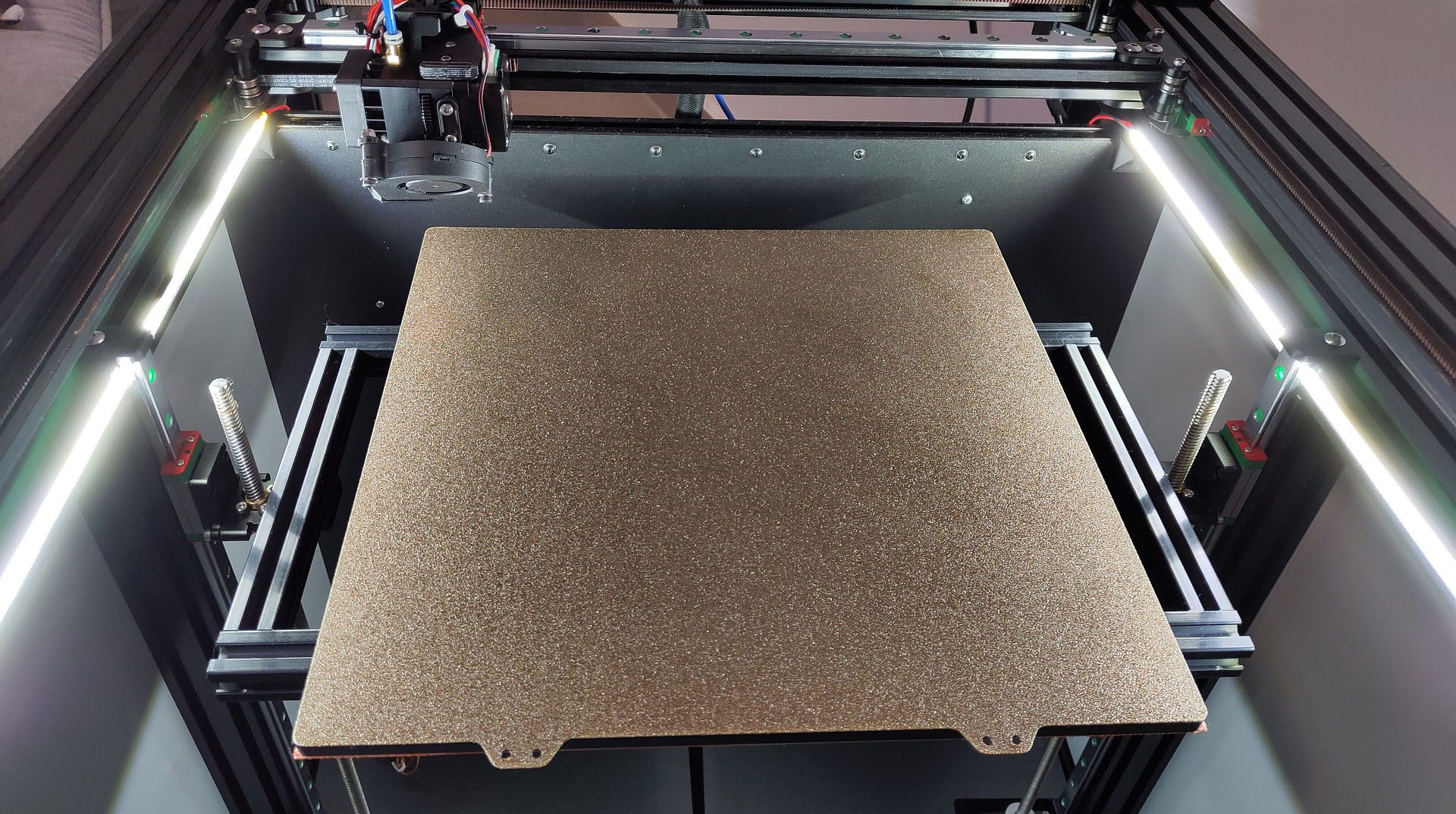
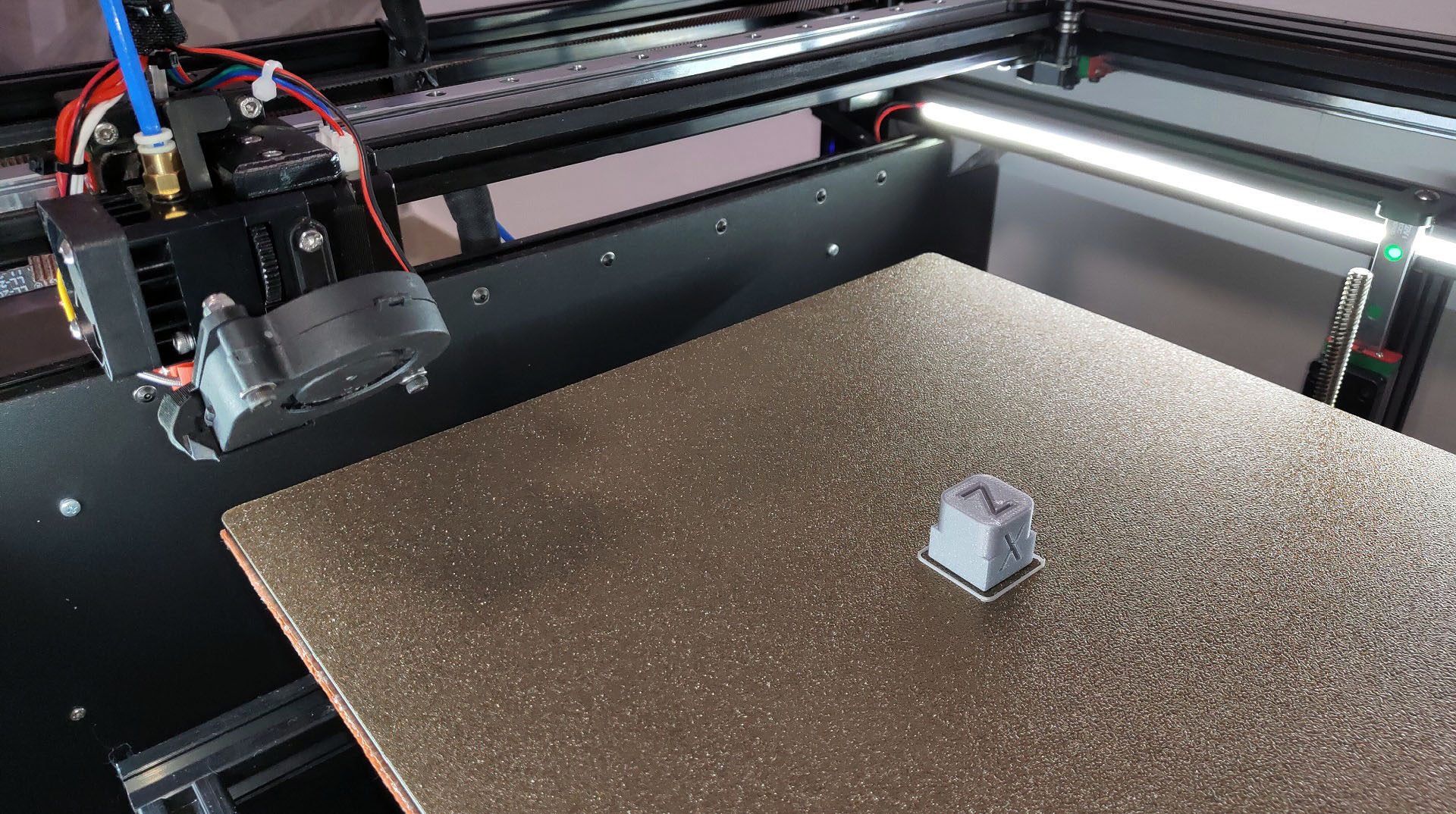
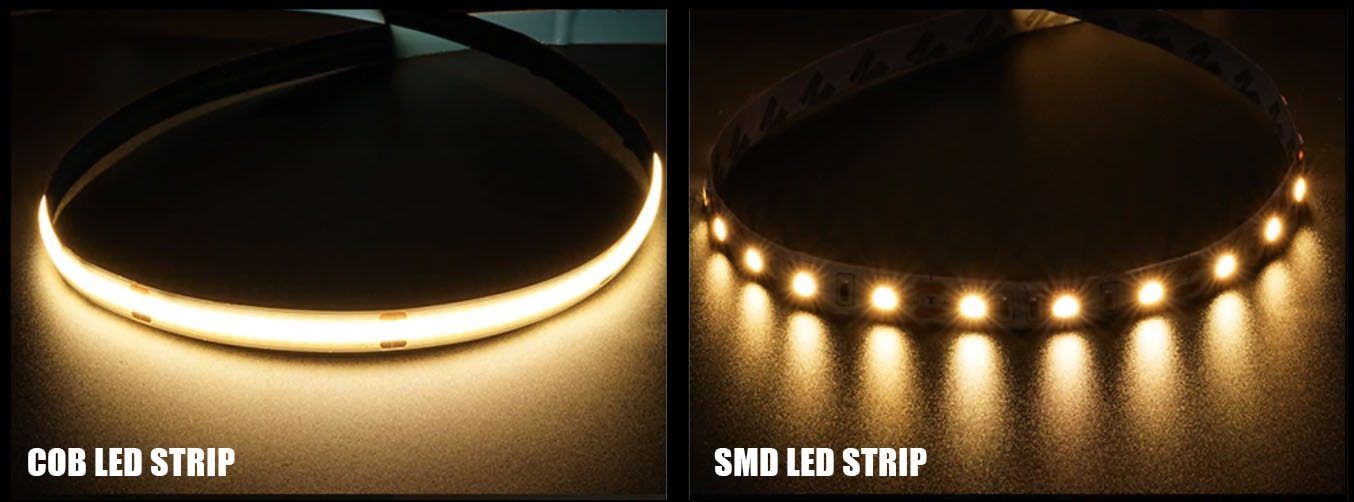
After a long time with a regular LED strip, I wanted lighting that is hidden, needs no printed parts and shines evenly instead of in spots. The answer was a COB LED strip.
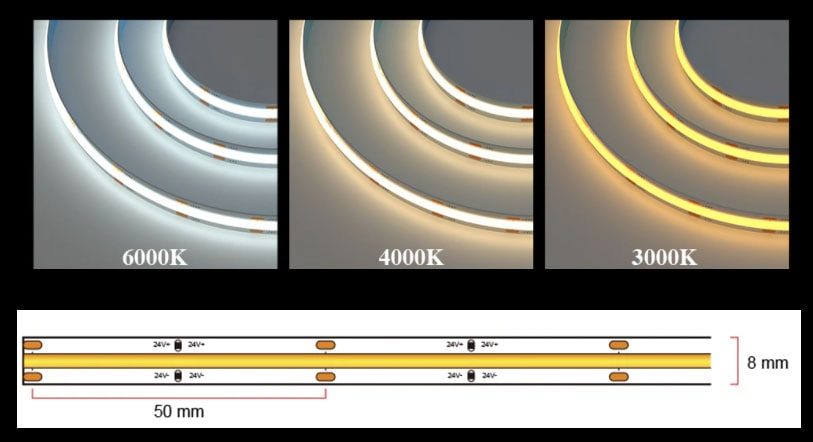
A COB strip has much smaller diodes, about 360 per meter instead of 60, so the light is even. A silicone layer over the diodes works as a diffuser. The strip is also narrow. The 8 mm version slides straight into the extrusion channel. It can be cut every 50 mm and the brightness can be controlled.
The first two strips I ordered from different AliExpress stores were disappointing. Then I found a reliable store with good COB strips. My choice was 6000K cool white, 24V, 360 LEDs per meter, 2 meters.
- Cut the strip at the marks (every 50 mm) with scissors.
- Solder two 26AWG wires, or use this quick connector (choose "For 8 mm PCB") if you prefer not to solder.
- Slide the strip into the upper extrusion channels.
- Connect the wires in one of two ways:
- Directly to a 24V PSU
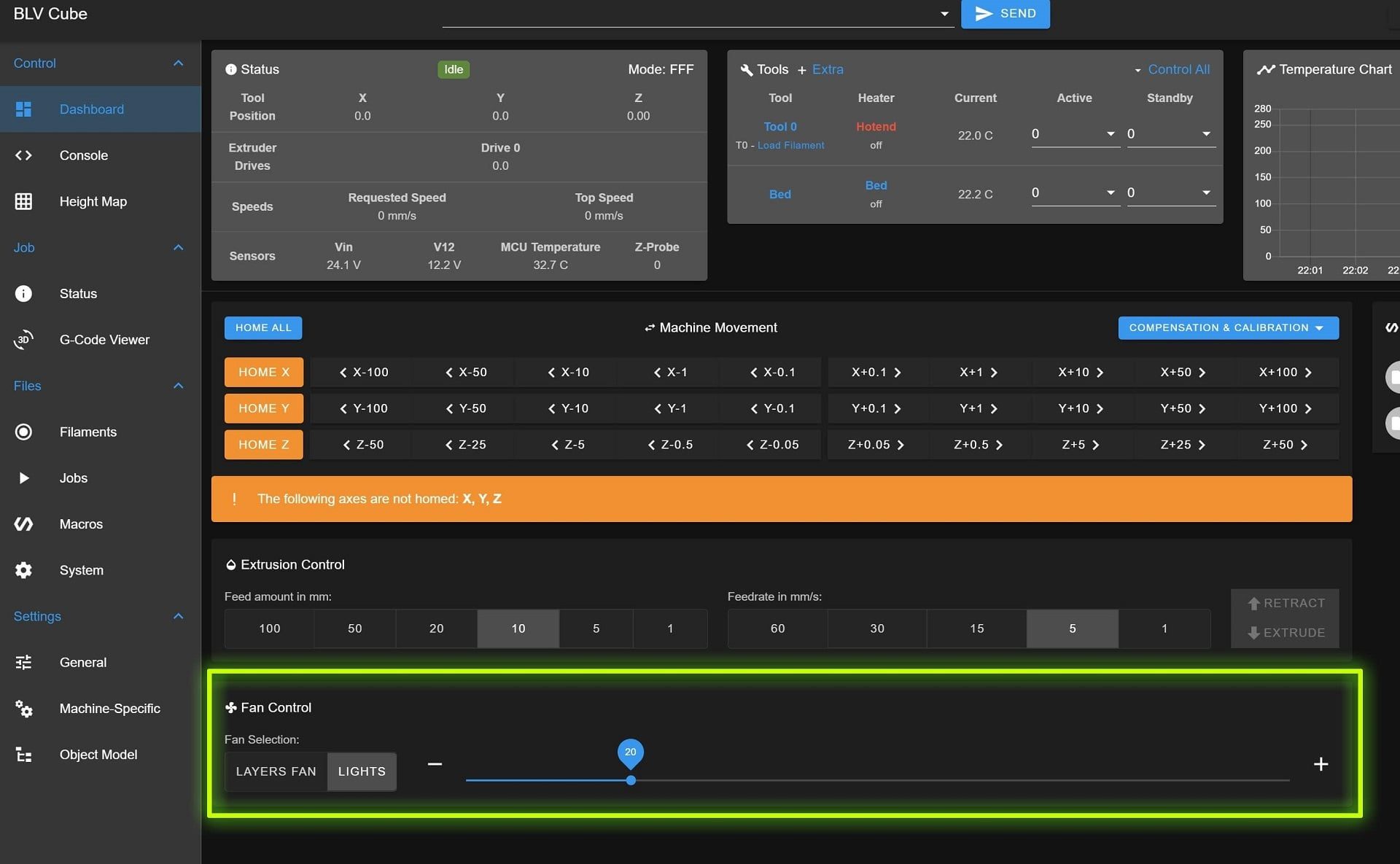
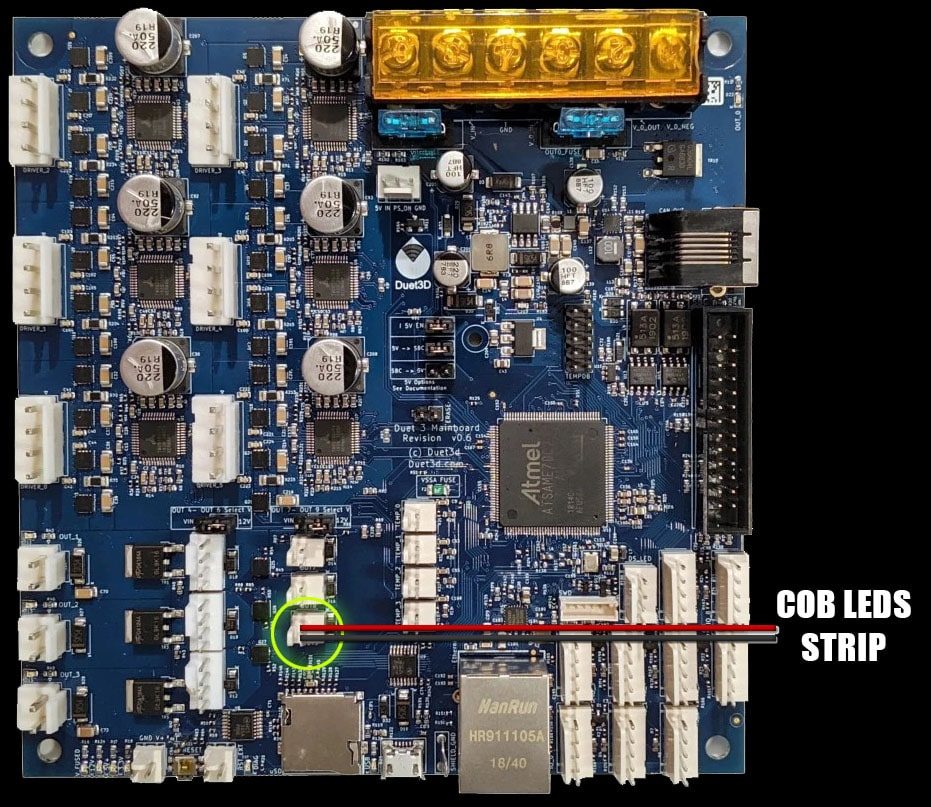
- To a Duet fan output, which lets you set the brightness with a slider in the Duet control panel
I use the Duet 3 6HC board from FYSETC, so I defined the lights as a fan output with this line in config.g and connected the strip to the OUT9 port:
M950 F2 C"out9" Q500 M106 P2 S0.2 H-1 C"Lights"
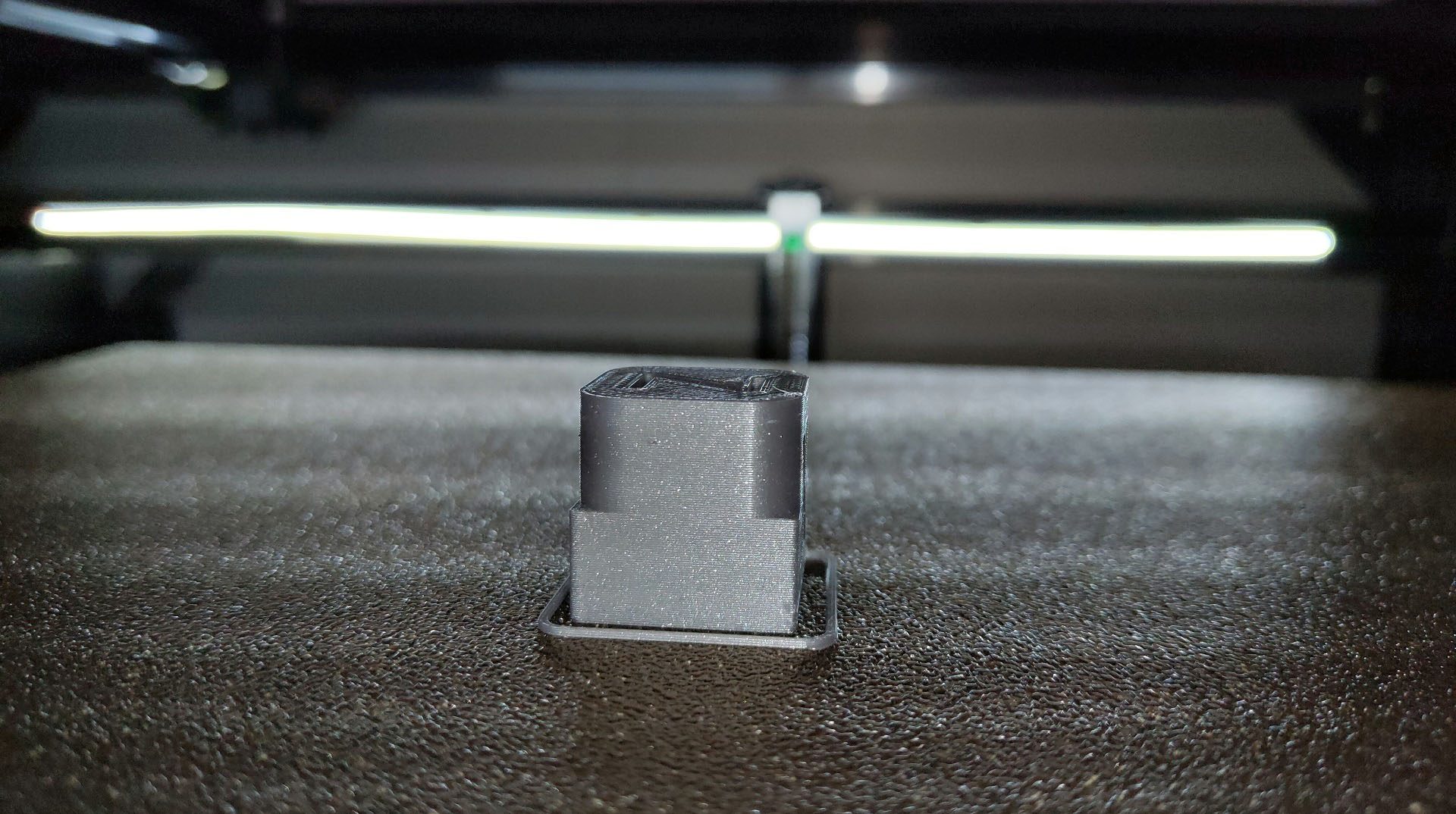
The result is efficient, good-looking light with adjustable brightness from the panel.
Linear rail tips
I started with affordable MGN12H rails from AliExpress at about $18 each. After buying from four different sellers, I found the best value at the CNA Mechanical Parts Store. Their carriages slide smoothly straight out of the box, with no cleaning needed. For higher quality at a reasonable price, the HIWIN rail set is excellent.
Sellers to avoid
Avoid RDC Official Store and linkcnc Store on AliExpress. linkcnc sent me a used, damaged rail that was shorter than ordered and stayed stuck even after cleaning. RDC started shipping carriages that don't match the MGN standard.
Cleaning and lubrication. New rails usually feel rough because they are coated with a protective oil at the factory. Clean it off (several YouTube videos show how to clean the carriage with WD-40), then lubricate the rails and carriages with sewing machine oil or a PTFE silicone grease. These are miniature rails, so avoid thick grease. The goal is a smooth carriage without free play.
The video below shows the cleaning process well. Work over a container so you don't lose any steel balls. After reassembly there is room for one more ball, which is normal.
Mounting the rails takes patience. They must be perfectly straight and aligned, and rushing this step causes problems later.
Don't rely on the gravity test
Tilting a rail and watching the carriage slide down says nothing about its quality. A rail with too much free play passes easily and then fails every print quality test. The tolerance grade of the rail sets the friction of the carriage.