Download & Print
Download the project files
The project received several updates, add-ons and improvements after its release. There are two downloads, depending on whether you build with the Metal Kit parts.
-
With the Metal Kit
A lighter version of the project files without the parts the Metal Kit replaces. You only print the hotend setup and the front panels. All other printed parts are optional.
-
Without the Metal Kit
The complete original project with every printable part, documents, drawings, the print profile, CAD files and STL files.
What's in the ZIP
| Folder | Contents |
|---|---|
| Documents | PDF files with most of the information needed for the project |
| Firmware | SD card content for Duet boards. Duet 2 WiFi: the original configuration (RepRap 2.xx and later). Duet 3: a basic configuration (RepRap 3.xx and later). |
| Frame Panels | All the measurements for making enclosure panels |
| open source | The original CAD files, including several add-ons and upgrades |
| Slicing Profiles | Simplify3D profile. Cura includes a built-in BLV mgn Cube profile. |
| STL files to print | All the STL files, including optional add-ons, upgrades and custom mounts - see below |
STL folders in detail
| Folder | Description |
|---|---|
| Bed Holder For Anet E12 Bed | Bed carriage mounts for the Anet E12 heated bed |
| Bed Holder For CR-10 Bed | Bed carriage mounts for the Creality CR-10 heated bed |
| Biqu H2 extruder adapter For Metal kit | BIQU H2 extruder adapter and fan mount for the Metal Kit |
| BLV optic Led cable concept | Concept add-on that carries the Duet status lights to the front, no soldering needed |
| Chimera front plate adapter | For the Chimera hotend |
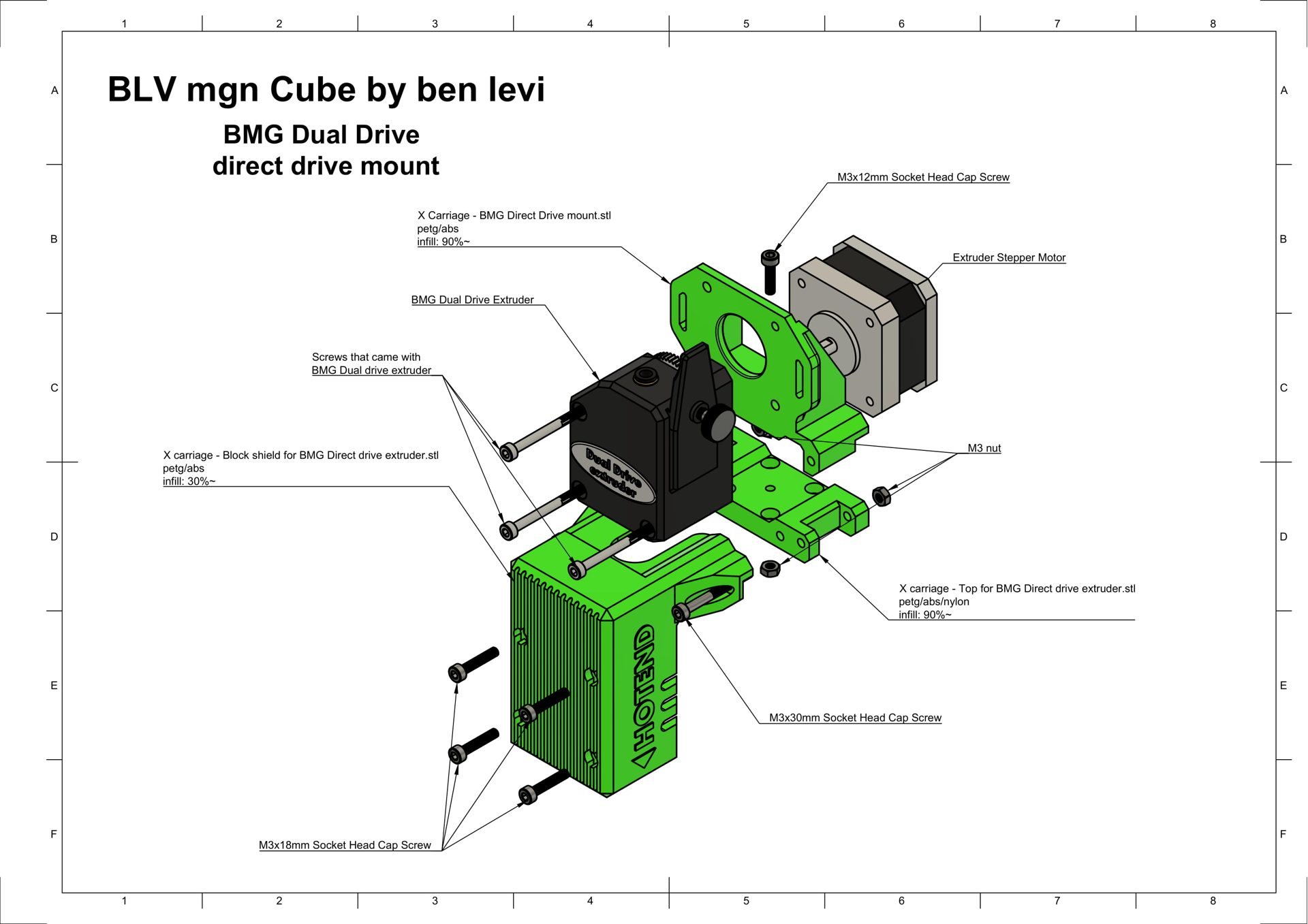
| Direct Drive | Direct drive upgrade |
| Frame wires Holder | Printed wire clip for 2040 and 2020 extrusions, 3 sizes |
| Front Panel | All STL and PDF files for the front panel |
| Hotend Setup for Metal kit | The hotend setup for the Metal Kit. More options are in the community remixes. |
| Jigs | Main installation jig + 2 jigs for fixing rails on 2020 and 2040 |
| Nozzle cleaner - Brass Brush | For the BIQU H2 extruder |
| Nozzle cleaner - new silicone wiper | For the BIQU H2 extruder |
| Optional - Air scrabber | Small air scrubbers that filter printing fumes |
| Optional - BIG Air scrabber | Big, effective air scrubbers |
| Original Bowden Hotend | The original hotend setup, not compatible with the Metal Kit |
| Side LED diffusers | Files for the side-mounted LED lights |
| Trianglelab Matrix adapter For Metal kit | Trianglelab Matrix extruder adapter for the Metal Kit |
| Twin fans Bowden Hotend | Upgraded part cooling with dual 4010 blowers |
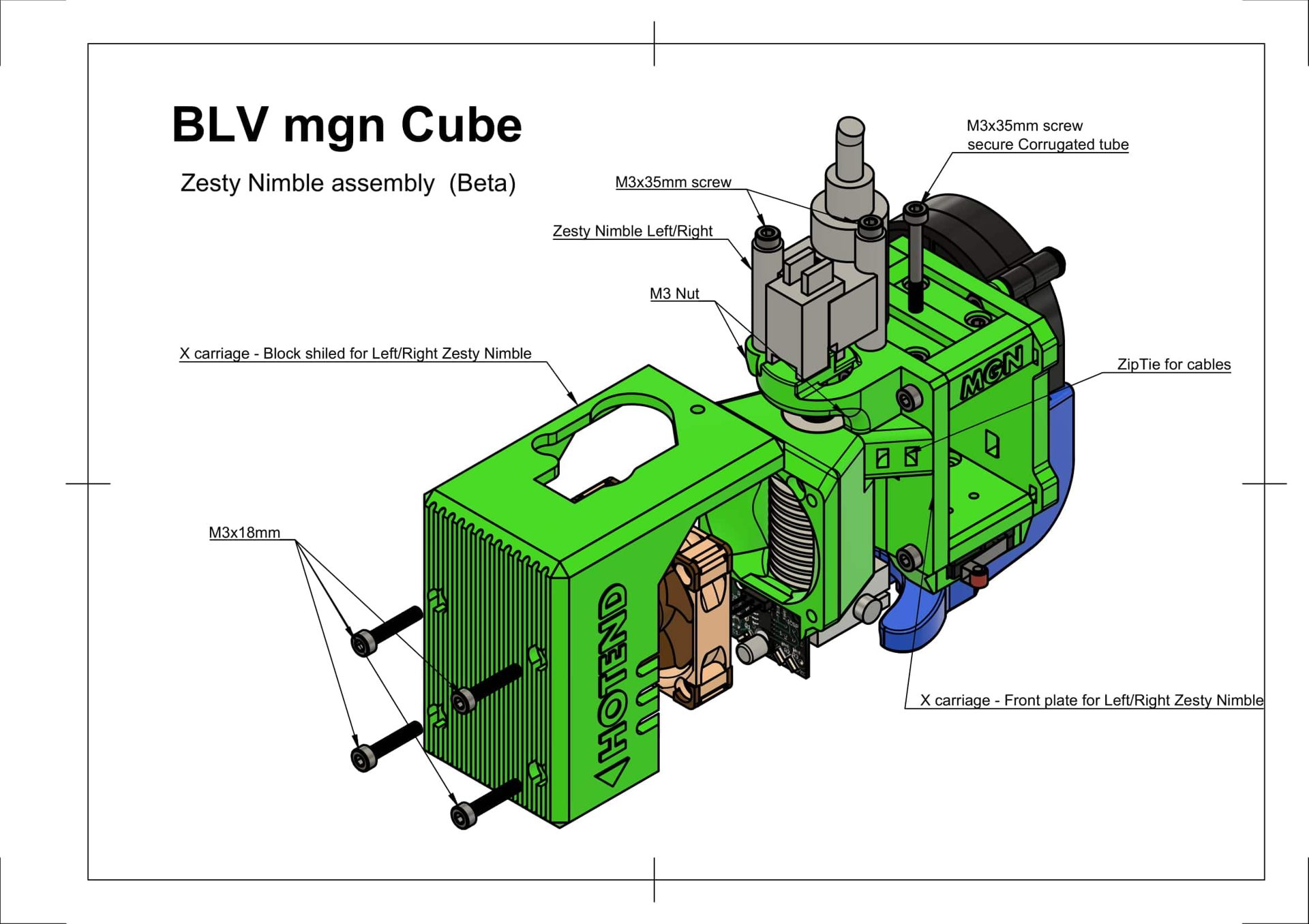
| Zesty Nimble | Adapter for the Zesty Nimble extruder, left and right versions |
| ... | All other STL files |
3D printing the parts
How you print the parts has a large effect on how well they work. Orientation, wall count, filament type and even print speed all matter. Most parts print without supports.
Don't use PLA or PLA+
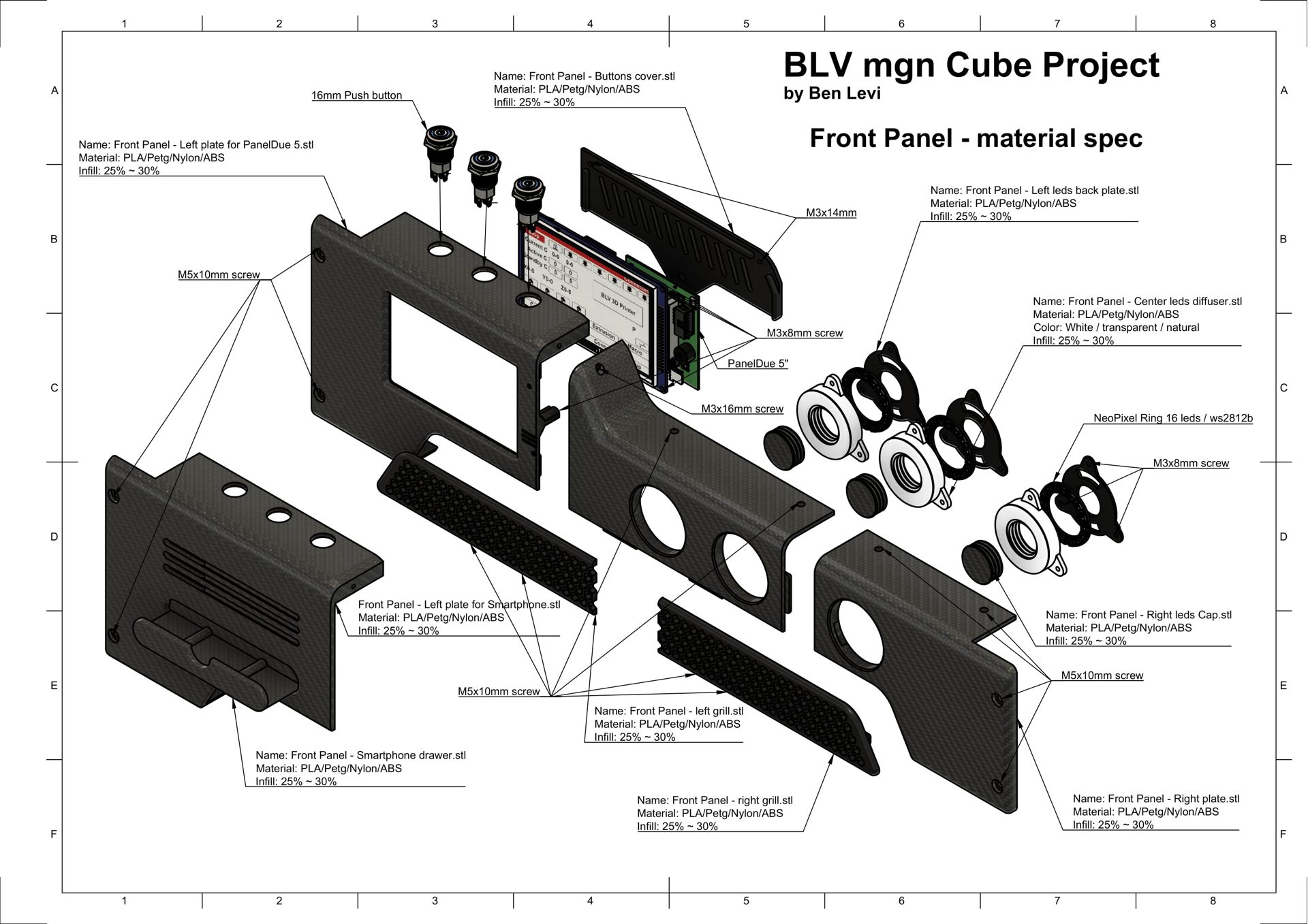
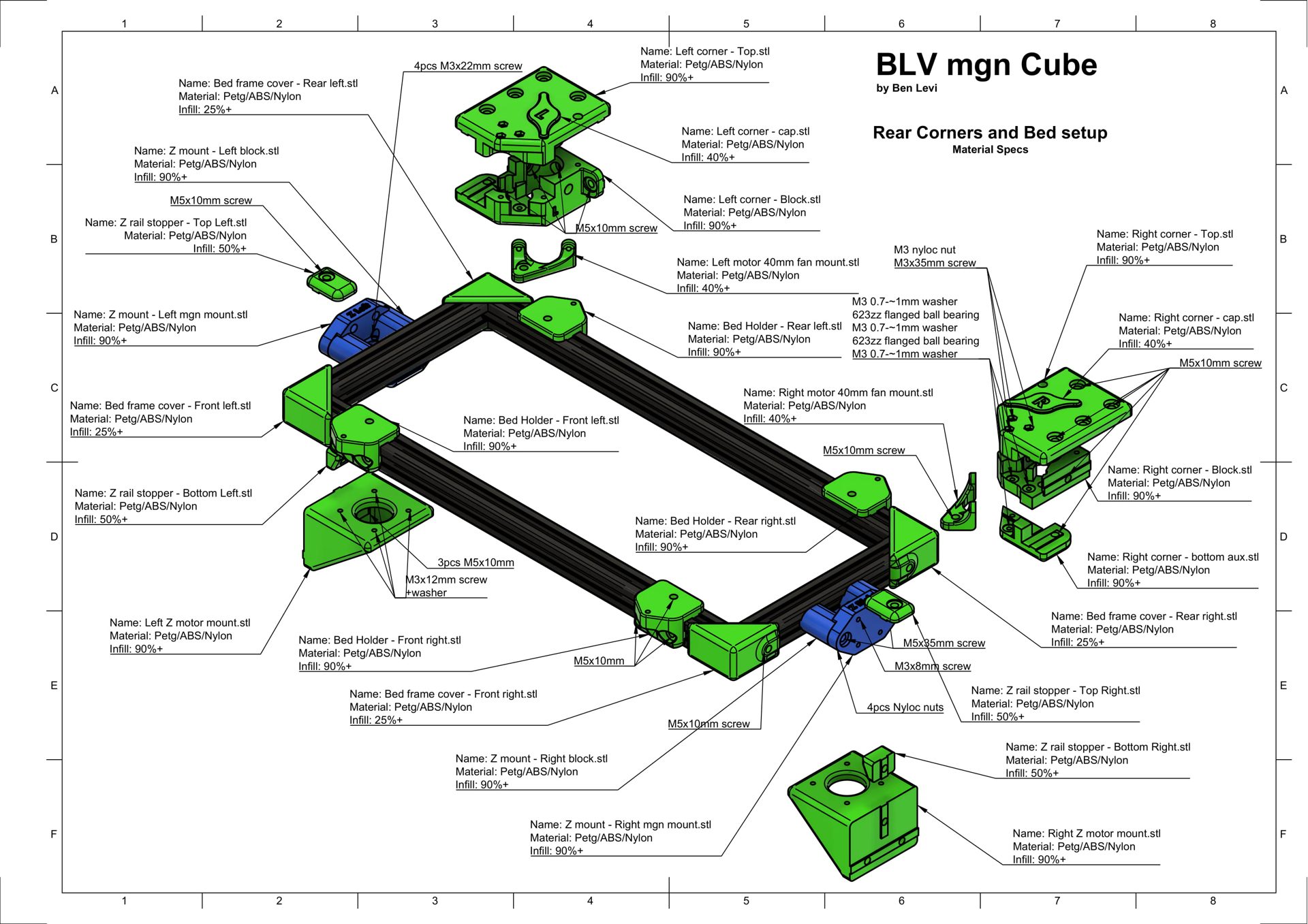
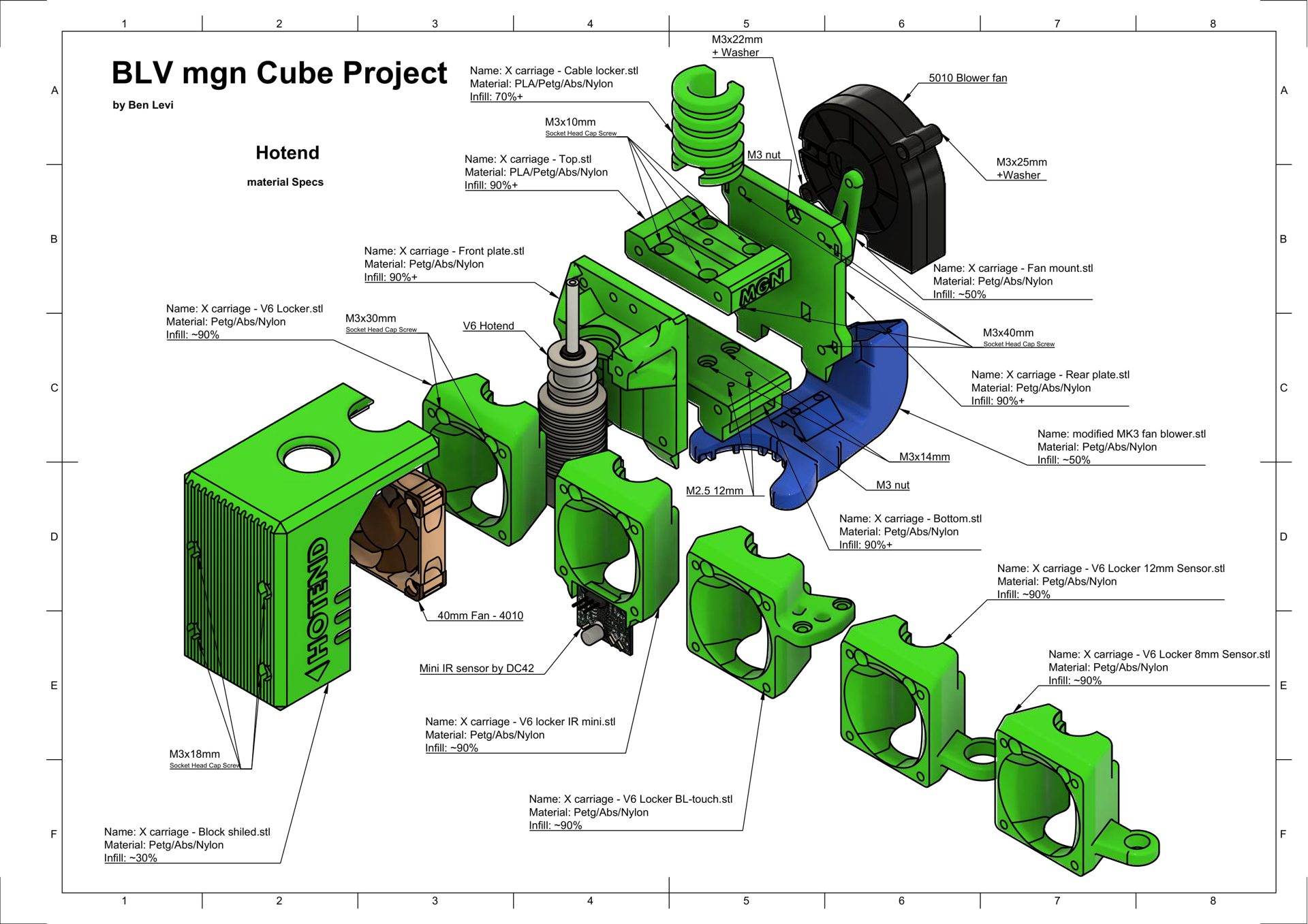
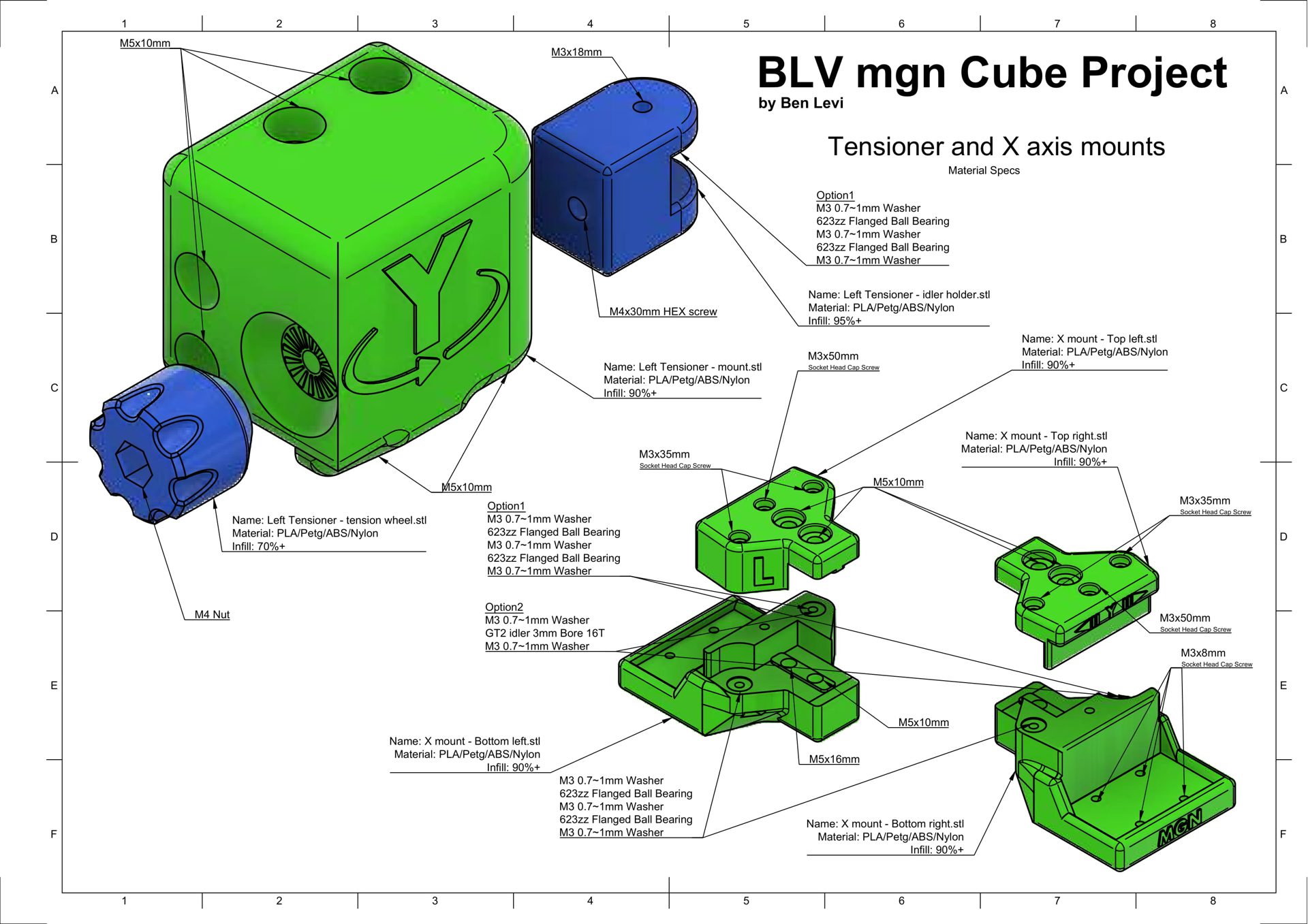
The parts carry loads and work near heat, and PLA deforms inside the printer. The sketches below give the exact infill for each part.
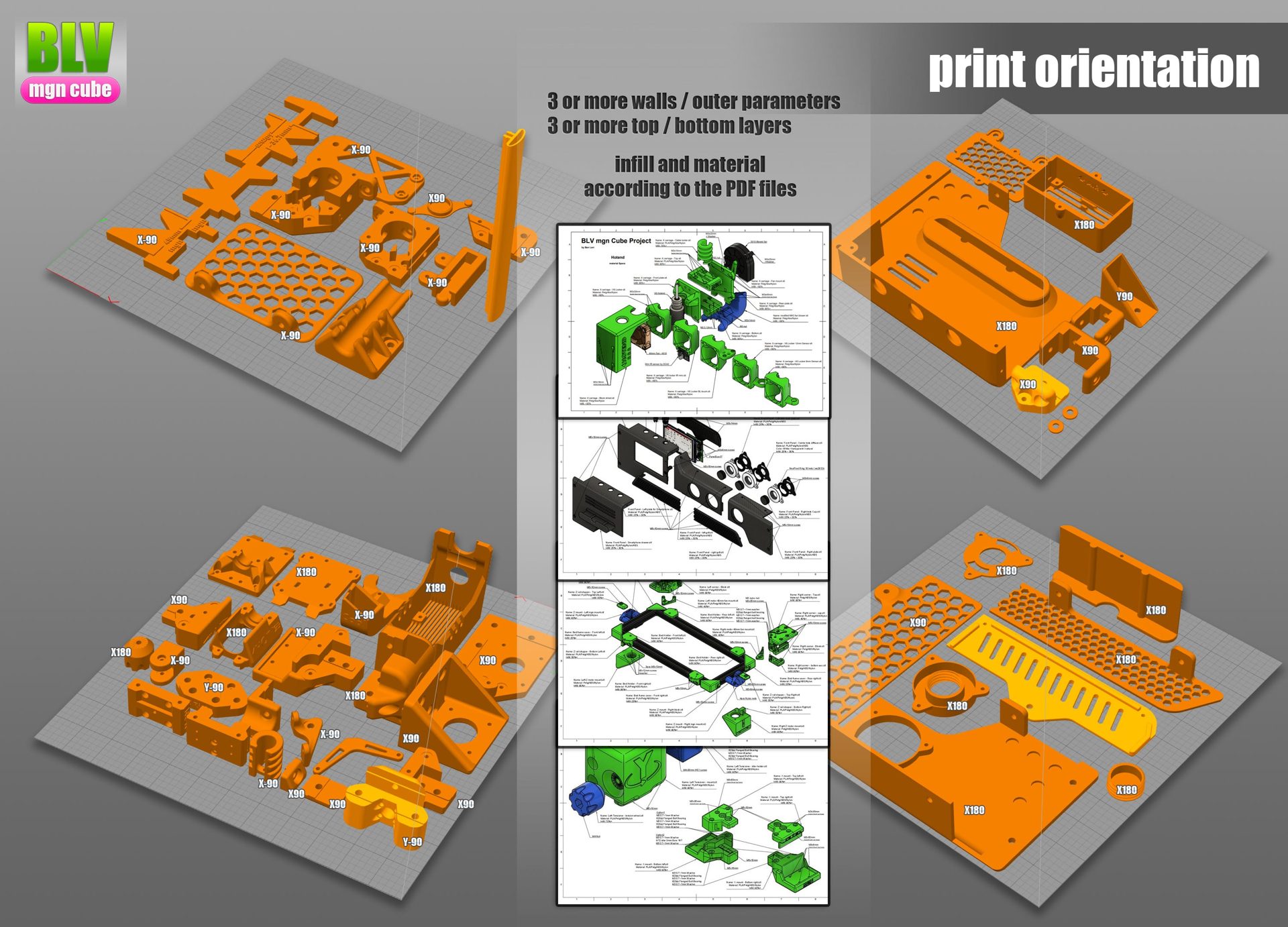
Orientation. Orientation has a large effect on the strength of a part. The image shows how to place every part on the bed. A few parts need supports, for example the tensioner idler holder, so check before printing. Labels such as X90 or Y-90 give the rotation to apply.
Parts descriptions
Each sketch shows a group of parts with the name, material and infill of every part. Where a sketch differs from the settings above, follow the settings above (6 walls, 7 bottom and 7 top layers).